

Use these service invoice templates to bill for service hours, repair work and consulting. Compare 5 downloads below, then choose the file that fits your task.
Choose a Download
| Resource | Format | Download |
|---|---|---|
| Service Invoice Template | Excel | Download Service Invoice Template |
| Hourly Service Invoice Template | Excel | Download Hourly Service Invoice Template |
| Repair Service Invoice Template | Excel | Download Repair Service Invoice Template |
| Consulting Invoice Template | Word | Download Consulting Invoice Template |
| Freelance Service Invoice Template | Word | Download Freelance Service Invoice Template |
These invoices bill for services, labor and consulting. Use a sales invoice for products sold and a commercial invoice for export documentation.
For the next step, compare sales invoice templates and time sheet templates.
What Is a Service Invoice?
A service invoice is a bill that a business or freelancer sends to a client after providing services, such as consulting, repairs, design, cleaning or IT support. It lists the work done, the hours or rates, any materials, taxes and the total amount due, along with payment terms. A service invoice template lets you create clear, consistent invoices quickly, so clients know exactly what they are paying for and when payment is due.
Elements of service invoice template
Service invoice can be generated by any individual professional or company who is providing services to customers and clients such as a freelance writer, consultant, doctor, professional designer, electric supply company or contractor etc. Basic purpose of the invoice is to let the customer know about the basic transaction details as well as total sum of money to be paid as service charges. Properly made service invoices help companies and individual professional persons a lot to get paid in timely manner.
Detailed invoice serve as a written record of services provided to the customer and amount receivable regarding the transition. Most of companies and businesses use costly invoicing software to generate service invoices for their customers but small businesses can afford such software due to short budget. Here we have a free service invoice template that can work well as a great alternative to costly invoicing software to generate invoices accurately in short time. A user will only need to add details into the template such as name of company, logo, customer details, services description, price details and payment terms to get service invoices designed and printed quickly.
Free Service Invoice Templates in Excel and Word
Choose from five free invoice templates, three in Excel and two in Word:
- Service Invoice Template: Excel (.xlsx), 1 worksheet, with built-in formulas that calculate automatically.
- Hourly Service Invoice Template: Excel (.xlsx), 1 worksheet, with built-in formulas that calculate automatically.
- Repair Service Invoice Template: Excel (.xlsx), 1 worksheet, with built-in formulas that calculate automatically.
- Consulting Invoice Template: Word (.docx), 1 page.
- Freelance Service Invoice Template: Word (.docx), 1 page.
The Excel versions calculate line totals, tax and the balance due as you type. The Word versions are easy to style with your logo and colors and save as PDF for emailing.
What to Include on a Service Invoice
- Your business name, address, phone, email and logo.
- The word “Invoice”, a unique invoice number and the invoice date.
- Client name, company and billing address.
- Description of each service, with dates, hours or quantities and rates.
- Parts or materials, if any, listed separately.
- Subtotal, discounts, applicable taxes and total due.
- Payment terms and due date.
- Accepted payment methods and bank or payment details.
- Optional: project or purchase order reference and a thank-you note.
Hourly vs. Flat-Fee Service Invoices
If you bill by the hour, list each date or task with the hours worked and your hourly rate, then total the hours; the hourly invoice template does this calculation for you. If you charge a fixed price for a project or package, list each deliverable with its agreed fee. Repair and maintenance businesses often combine both: labor charged by the hour and parts listed at cost or with markup, which is the layout used in the repair service invoice.
How to Create and Send a Service Invoice
Enter your business details once and save the file as your master copy. For each job, fill in the client details, a new invoice number and the services provided, then check the totals and payment terms. Save the finished invoice as a PDF so the layout cannot shift, and email it promptly after the work is complete.
Keep a record of every invoice you send and the date it is paid. If payment is late, send a polite reminder that quotes the invoice number and due date.
Tips for Getting Paid Faster
- Agree payment terms before starting the work.
- Invoice promptly, while the work is fresh in the client’s mind.
- Describe services clearly to avoid queries.
- Offer several convenient payment methods.
- Use sequential invoice numbers for easy tracking.
Note: this is general information, not tax, legal or accounting advice. Invoice and sales tax requirements vary by location, so check the rules that apply to your business.
Service invoice or sales invoice? A service invoice bills for work and time, such as hours, labor or professional fees, while a sales invoice bills for products sold and lists items, quantities and unit prices. If you sell goods rather than services, see our sales invoice templates.
Downloadable Service Invoice Templates And Formats
Download these original service invoice templates for Excel and Word. The Excel versions calculate subtotals, discounts, tax and balance due automatically.
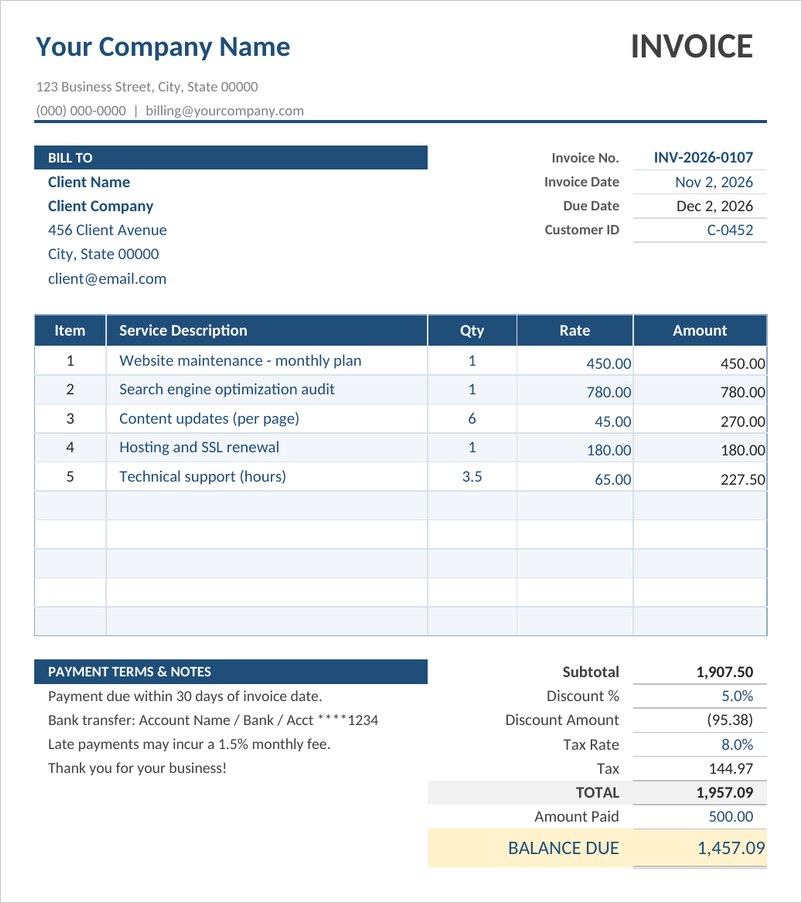
Service Invoice Template (Excel)
A professional service invoice for Excel with itemized services, quantities and rates, automatic subtotal, discount, sales tax, payments and balance due.
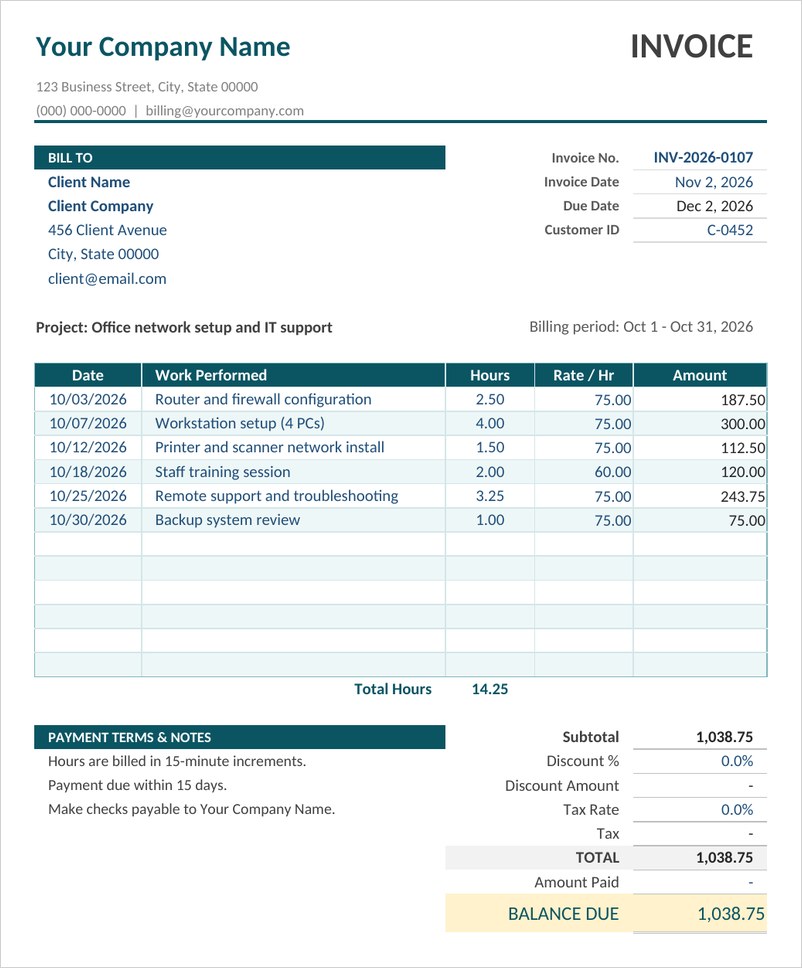
Hourly Service Invoice Template (Excel)
An hourly billing invoice that multiplies hours by rate for each job date, totals hours worked and calculates the amount due for contractors and IT technicians.
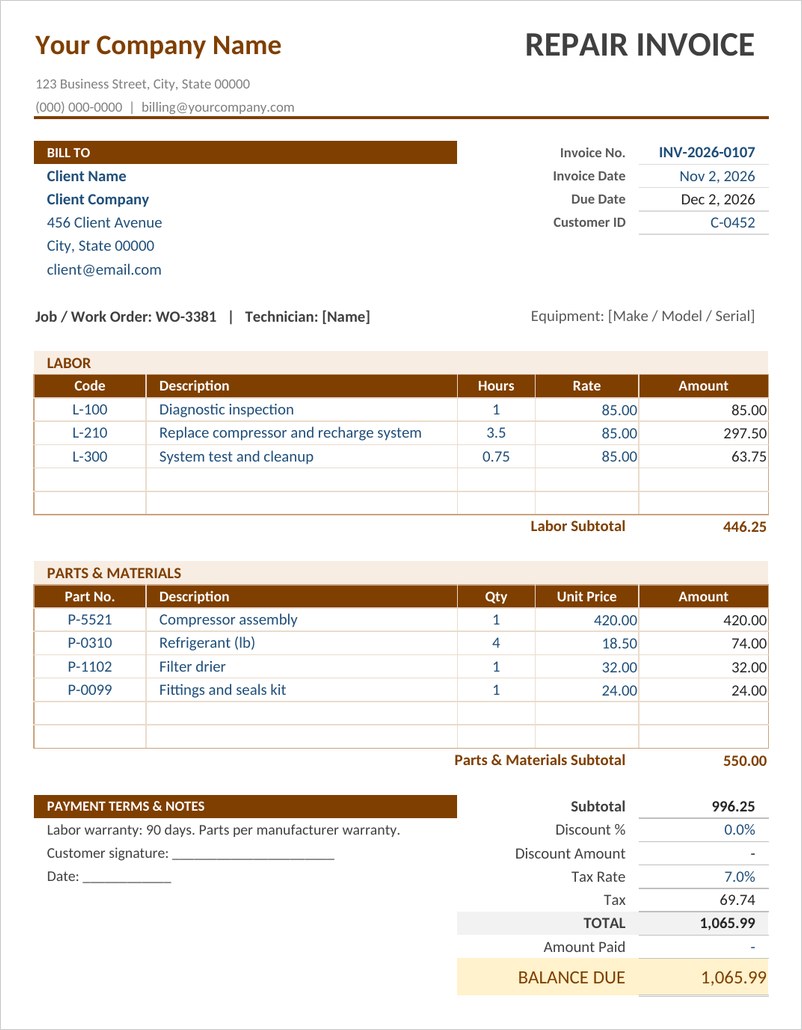
Repair Service Invoice Template (Excel)
A repair and maintenance invoice with separate labor and parts sections, subtotals, tax and balance due, ideal for HVAC, appliance, auto and handyman services.
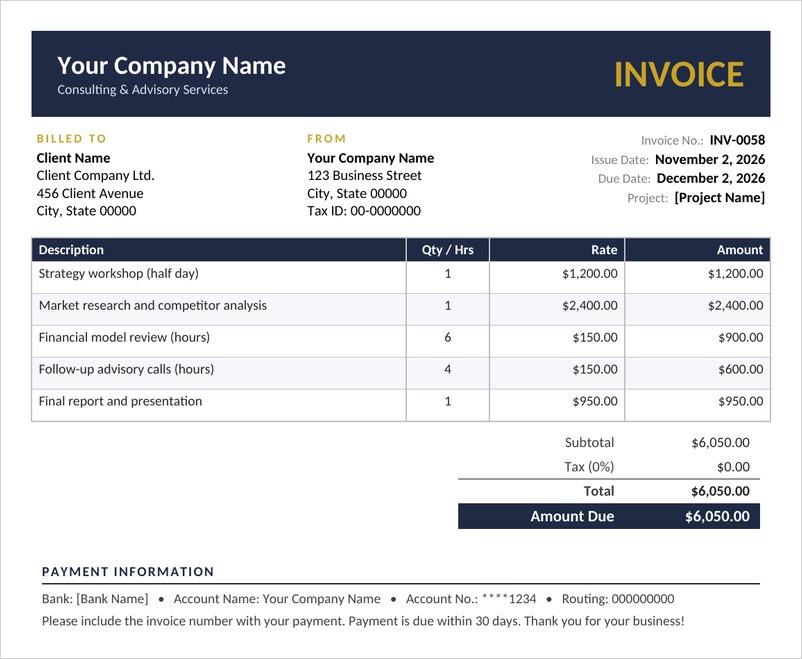
Consulting Invoice Template (Word)
A polished Word invoice for consultants and agencies with billed-to details, project reference, itemized fees, tax, total amount due and payment information.
Freelance Service Invoice Template (Word)
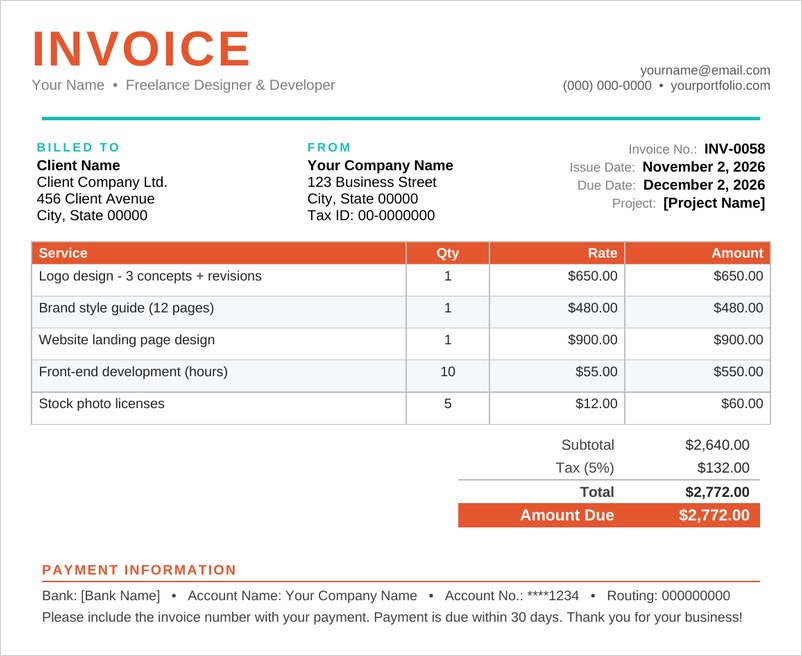
A modern freelance invoice template for designers, writers and developers, listing services, rates and totals with clear payment details and due date.
Frequently Asked Questions
What is a service invoice?
It is a bill for services provided, listing the work done, rates or fees, taxes and the total amount due, along with payment terms.
Should I use an Excel or Word invoice template?
Excel is useful when you want totals and tax calculated automatically. Word is convenient for simple invoices you want to style and save as PDF.
What payment terms should I put on an invoice?
Common terms state the number of days the client has to pay, such as payment due within 14 or 30 days. Choose terms that suit your business and agree them in advance.
How do I number my invoices?
Use a simple sequential system, such as 1001, 1002, 1003, so every invoice has a unique number and is easy to find.
Can I add sales tax to these templates?
Yes. The Excel service invoice includes a tax line that calculates automatically from the rate you enter. Check which tax rules apply to you.

