

Use these purchase order templates to order supplies and track purchase orders. Compare 5 downloads below, then choose the file that fits your task.
Choose a Download
| Resource | Format | Download |
|---|---|---|
| Purchase Order with Tax and Shipping | Excel | Download Purchase Order with Tax and Shipping |
| Construction Purchase Order Template | Word | Download Construction Purchase Order Template |
| Simple Purchase Order Template | Word | Download Simple Purchase Order Template |
| Purchase Order Log Template | Excel | Download Purchase Order Log Template |
| Service Purchase Order Template | Excel | Download Service Purchase Order Template |
For the next step, compare sales invoice templates and cash receipt templates.
What Is a Purchase Order?
A purchase order (PO) is a document a buyer sends to a supplier to order goods or services. It lists what is being bought, the quantities, agreed prices, delivery details and payment terms. Once the supplier accepts it, the purchase order records what both sides agreed. A purchase order template gives you a ready-made form with all the standard fields, so every order you place is complete and easy to track.
Features of purchase order templates
It is a handy document that makes the process of purchase fluent and convenient for buyers already knows about the products or services of the company and price as well. These documents are extensively used by businesses and companies when they want to buy raw material or other goods from another company or supplier. It is a request for purchases made by the company or buyer and when it is accepted by the seller or supplier, it works like a purchase agreement between buyer and seller and the seller must provide the mentioned goods or services to the buyer as per mentioned terms and conditions.
Contents of the purchase order could be date, name of the purchaser, description of goods, quantity, price details, delivery address, date of expected delivery and payment details etc. Unique PO number also includes in vital contents of the document because it can be used as key reference. PO is another name of this document. Purchase order templates are easily accessible on web that any company or business can use to draft professional looking POs without wastage of time and money at the same time. This webpage also has lots of useful similar templates to assist users when making purchase orders.
Free Purchase Order Template in Word and Excel
The collection provides 5 files in Excel and Word. Edit the Word documents in a compatible word processor. Use Excel for the spreadsheet files. For a printable PDF, export a completed document from its application rather than looking for a separate PDF download.
What to Include in a Purchase Order
- PO number: a unique reference for tracking and matching invoices.
- Order date and required delivery date.
- Buyer details: company name, address, contact and billing address.
- Supplier details: vendor name, address and contact.
- Shipping address and shipping method or terms.
- Line items: item number or SKU, description, quantity, unit price and line total.
- Subtotal, taxes, shipping charges and total.
- Payment terms, such as the number of days until payment is due.
- Authorization: name and signature of the person approving the order.
- Notes or special instructions.
Purchase Order vs. Invoice
A purchase order and an invoice are related but different. The buyer creates the purchase order to request goods or services before they are supplied. The supplier creates the invoice to request payment after delivering them. Many businesses match the purchase order, the delivery or receiving note and the invoice before paying, so they only pay for what was ordered and received. Including the PO number on the invoice makes this check quick.
Common Purchase Order Types
Most orders are standard purchase orders for a one-off purchase with known items, prices and delivery dates. A blanket purchase order covers repeated deliveries of the same items over a set period, which saves raising a new PO each time. Some businesses also use planned purchase orders, where items and prices are agreed but delivery dates are confirmed later. A simple template works well for standard orders; for blanket orders, add the agreement period and a spending limit.
How to Create a Purchase Order
Start with your company details and assign the next number in your PO sequence. Add the supplier details and the delivery address, then list each item with a clear description, quantity and agreed unit price. Check the totals, add the payment and delivery terms, and have the order approved by the person authorized to make purchases.
Send the purchase order to the supplier and keep a copy. When the goods arrive, check them against the PO, then match the supplier’s invoice before payment. Keeping all purchase orders in one file or spreadsheet gives you a clear record of spending and outstanding orders.
Benefits of Using Purchase Orders
- Records exactly what was ordered, at what price.
- Helps prevent duplicate or unauthorized purchases.
- Makes it easier to track deliveries and outstanding orders.
- Simplifies matching invoices and paying suppliers.
- Supports budgeting and spending reports.
Tips for Managing Purchase Orders
- Use a consistent, sequential PO numbering system.
- Describe items precisely, including sizes, models or part numbers.
- Agree prices and terms with the supplier before issuing the PO.
- Ask suppliers to quote the PO number on all invoices and delivery notes.
- Review open purchase orders regularly and close completed ones.
Note: this article is general information, not legal, tax or financial advice. Requirements for business documents can vary, so check with your accountant or advisor if you are unsure.
Downloadable Purchase Order Templates And Formats
Below are free purchase order templates in Word and Excel that you can edit and print, including a purchase order with tax and shipping, a construction purchase order, a simple purchase order, a purchase order log and a service purchase order. Download a purchase order template, add your business details and start numbering your orders.
Purchase Order with Tax and Shipping (Excel)
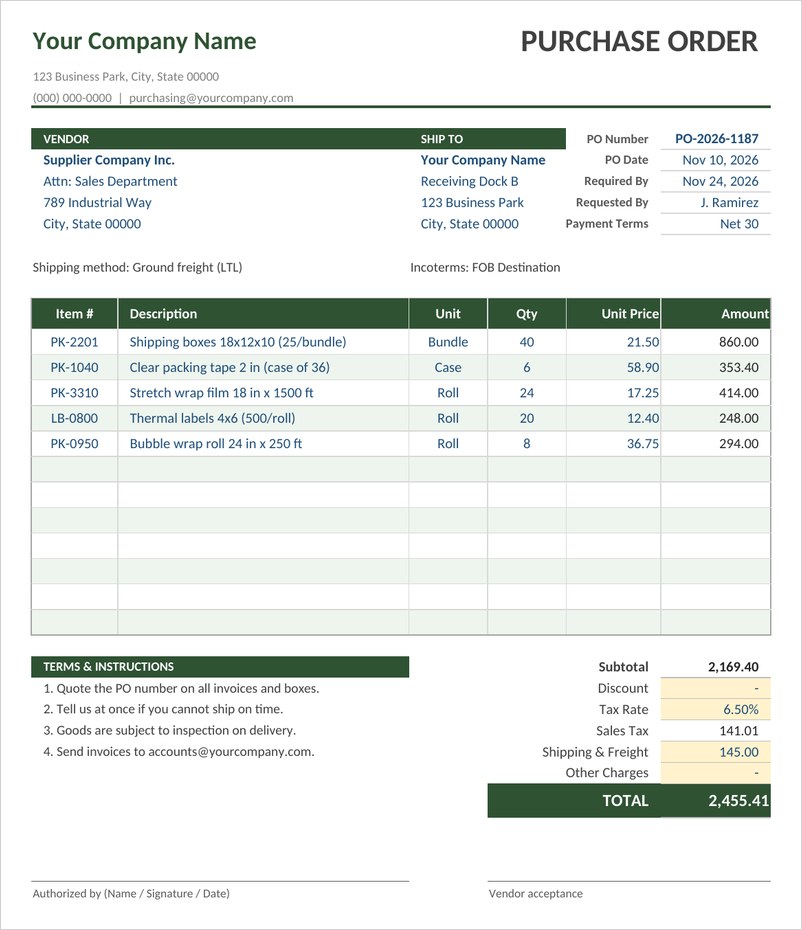
An Excel purchase order with vendor and ship to blocks, item lines with automatic amounts, discount, sales tax, shipping and freight, other charges and authorization lines.

Construction Purchase Order Template (Word)
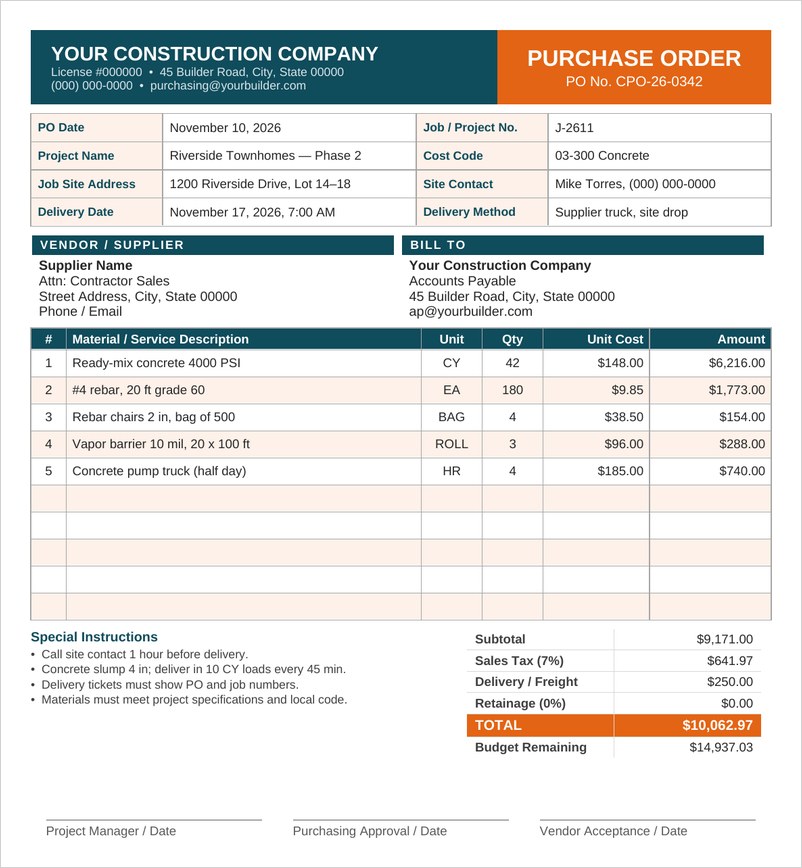
A construction purchase order for contractors with job number, project, cost code, job site delivery details, materials table, special instructions, totals and three signatures.
Simple Purchase Order Template (Word)
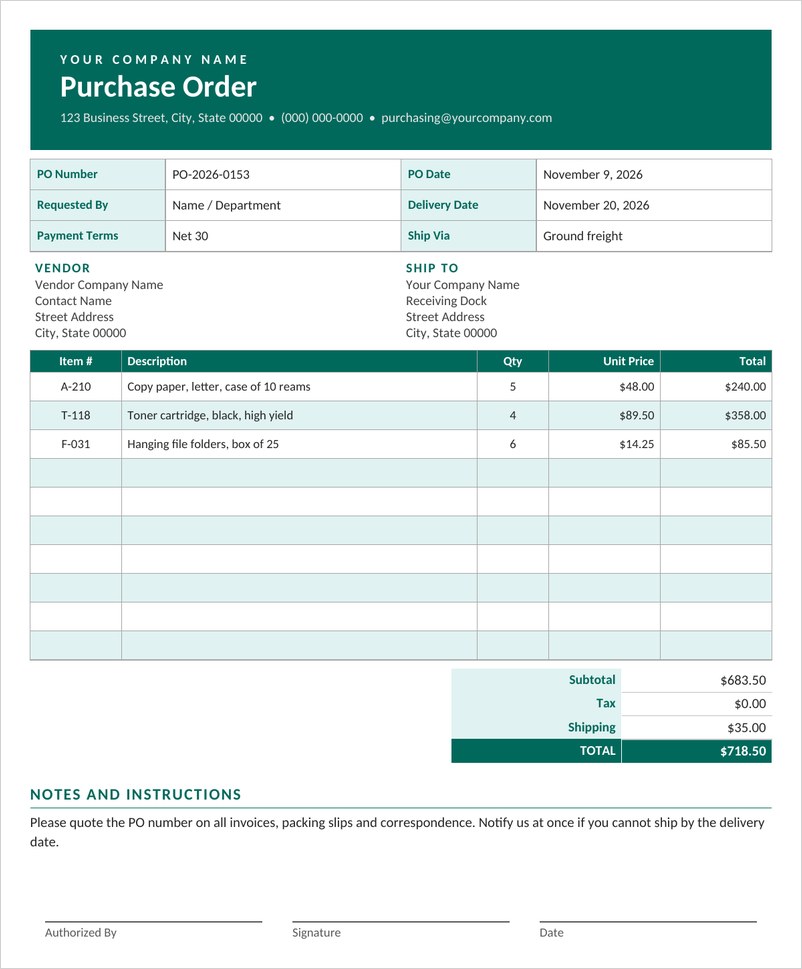
A simple purchase order in Word with PO number and dates, vendor and ship to blocks, an item table with totals, delivery notes and an authorization signature.
Purchase Order Log Template (Excel)
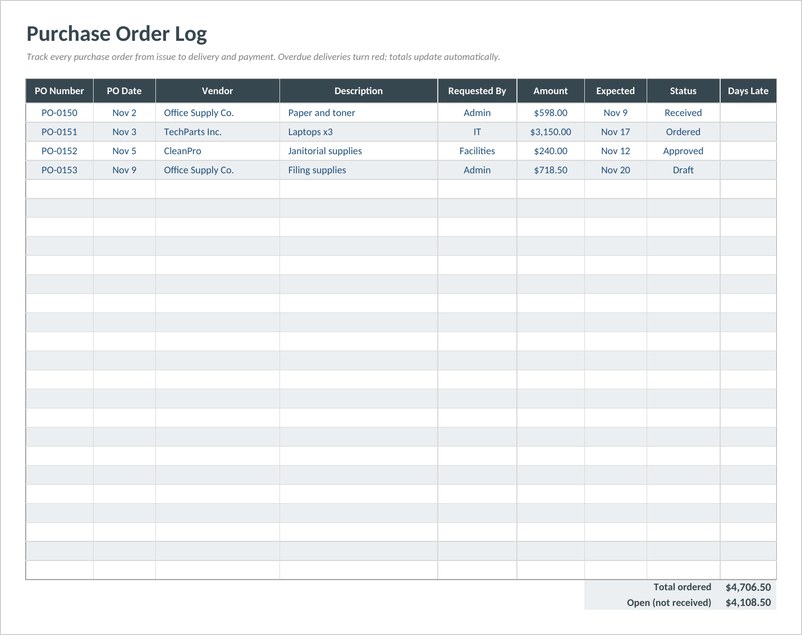
An Excel purchase order log to track PO numbers, vendors, amounts, expected delivery and status, with late deliveries flagged and open order totals.
Service Purchase Order Template (Excel)
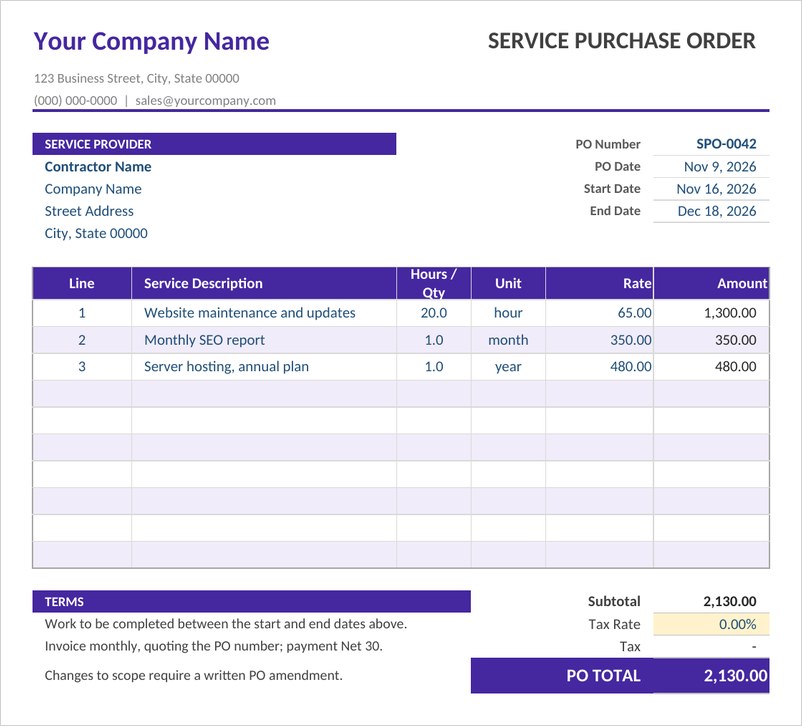
A service purchase order in Excel for contractors and agencies, with service period, hours or units, rates, automatic totals, tax and clear payment terms.
Frequently Asked Questions
What is a purchase order used for?
A purchase order is used by a buyer to order goods or services from a supplier and to record the items, quantities, prices and terms agreed.
Who creates a purchase order?
The buyer creates the purchase order and sends it to the supplier. The supplier later sends an invoice requesting payment.
What is a PO number?
A PO number is a unique reference assigned to each purchase order. It helps track the order and match it to deliveries and invoices.
Can I make a purchase order in Excel?
Yes. An Excel purchase order template can calculate line totals, taxes and the grand total automatically.
Is a purchase order the same as an invoice?
No. A purchase order requests goods before they are supplied, while an invoice requests payment after they have been delivered.



You must be logged in to post a comment.