

Get rid of the costly invoicing software and computer program and create invoices for your customers economically with this sales invoice template. It helps all types of business settings and companies to effectively deal with day to day invoicing tasks. Basically sales invoice is a seller generated document bearing details about a sales transaction such as name of the buyer, list of goods or products sold, quantities, price details, payment terms and unique invoice number etc. These are usually sent by sellers to customers as a formal request for payment regarding recent sales transactions. Related templates: voucher templates, packing list templates, letterhead templates, income statement templates and cash receipt templates.
What Is a Sales Invoice?
A sales invoice is a document a seller sends to a customer to request payment for goods sold. It lists what was supplied, the quantities and prices, any taxes and discounts, the total due and the payment terms. For the seller it is a record of the sale, and for the buyer it is a record of what they owe. A sales invoice template gives you a professional layout with these fields ready to complete.
Elements of sales invoice template
Sales invoice provides the seller or business a professional way to keep track of sales made in a particular period of time as well as payment made and pending payment etc. Whether you are an individual seller or selling goods or services of a large business, you should prepare invoice for each and every sales transaction because it helps a lot in record keeping. When a sales invoice paid in full by the customer or client, it becomes sales receipt stamped as paid. Timely prepared and detailed invoices help a seller or company in getting paid quickly as per mentioned payment terms.
A sales invoice prepared with all essential elements and details can also be used by customers as a written proof when it comes to return or exchange goods or products due to damages or low quality. Large business organizations and companies often use costly invoicing software to generate invoices for customers but a small business cannot afford the cost of such software. That is the reason here we are presenting a free sales invoice template for our valued users which is flexible enough to modify elements such as name of the business or company, logo, payment terms and other info.
Free Sales Invoice Template in Word, Excel and PDF
The free sales invoice templates on this page include Word documents, an Excel invoice and PDF forms. Word invoices are easy to brand with your logo and save as PDF to email to customers. If you prefer automatic totals, an invoice template in Excel can multiply quantities by prices, add tax and calculate the balance due, which reduces arithmetic errors.
What to Include in a Sales Invoice
A complete sales invoice usually includes:
- The word “Invoice” and a unique, sequential invoice number.
- The invoice date and, if different, the date of supply or delivery.
- Your business name, address, contact details and logo.
- Your tax or registration number, where required.
- The customer’s name, billing address and, if different, delivery address.
- A line for each product: description, quantity, unit price and line total.
- Subtotal, discounts, shipping charges and taxes.
- The total amount due and the currency.
- Payment terms and due date, such as payment within a set number of days.
- Accepted payment methods and bank or payment details.
- A purchase order or reference number if the customer provided one.
Sales Invoice vs. Service Invoice and Receipt
A sales invoice is mainly used for physical products and lists items with quantities and unit prices. A service invoice bills for work performed, often by hours or project milestones. A receipt is different again: it confirms that payment has already been received, while an invoice requests payment.
How to Create a Sales Invoice
Fill in your business details once and save the template so they appear on every invoice. For each sale, enter the next invoice number, the date and the customer’s details. List each product on its own line with a clear description, the quantity and unit price, then check the subtotal, any discounts, shipping and taxes.
State the total due, the due date and how the customer can pay. Save the invoice as PDF, send it to the customer and keep a copy. Record it in your accounts or sales ledger so you can track whether it has been paid.
Recording and Tracking Sales Invoices
Keep a simple sales ledger or spreadsheet that lists each invoice number, customer, date, amount, due date and payment status. Updating it whenever you send an invoice or receive a payment makes it easy to see which customers owe money and which invoices are overdue. Matching payments to invoice numbers also helps when you reconcile bank statements or prepare accounts. Store copies of sent invoices in a consistent folder structure, such as by year and month, so they are easy to find later.
Tips for Getting Paid on Time
- Send invoices promptly after delivery.
- Make payment terms and the due date easy to see.
- Offer convenient payment methods.
- Use the customer’s purchase order number if they have one.
- Keep a simple list of unpaid invoices and follow up politely when a payment is late.
- Never reuse invoice numbers.
These templates are a general aid only and are not tax, accounting or legal advice. Invoice requirements, including tax details, can differ by country and business type, so check the rules that apply to you or ask an accountant.
Sales invoice or service invoice? A sales invoice is used when you sell products and lists items, quantities and unit prices. If you bill for hours, labor or professional fees, a service invoice template is the better fit.
Here Are Downloadable Sales Invoice Templates
Below are free sales invoice templates in Excel and Word, including a sales invoice with automatic totals, a retail sales invoice, a wholesale invoice, a sales invoice with discount and a simple sales invoice. Download a sales invoice template, add your business details and save it for every sale.
Sales Invoice Template (Excel)
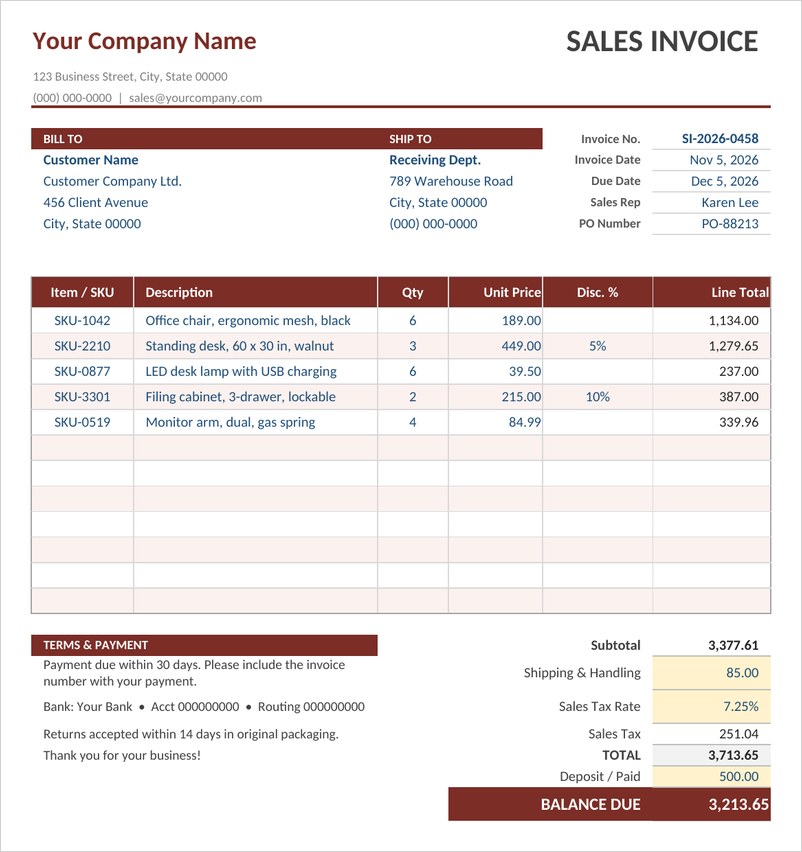
An Excel sales invoice with bill to and ship to blocks, SKU line items, per-line discounts, shipping, sales tax, deposit and balance due, all calculated automatically.

Retail Sales Invoice Template (Word)
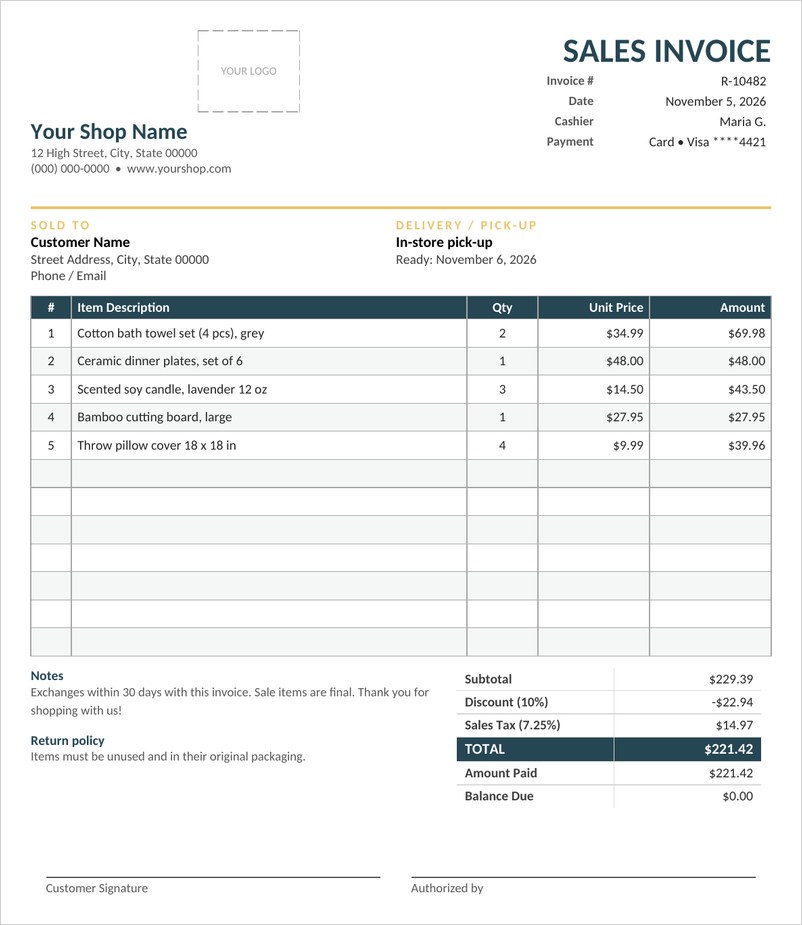
A clean retail sales invoice for shops and boutiques with logo area, cashier and payment details, itemized table, discount, tax and totals box and return notes.
Wholesale Sales Invoice Template (Excel)
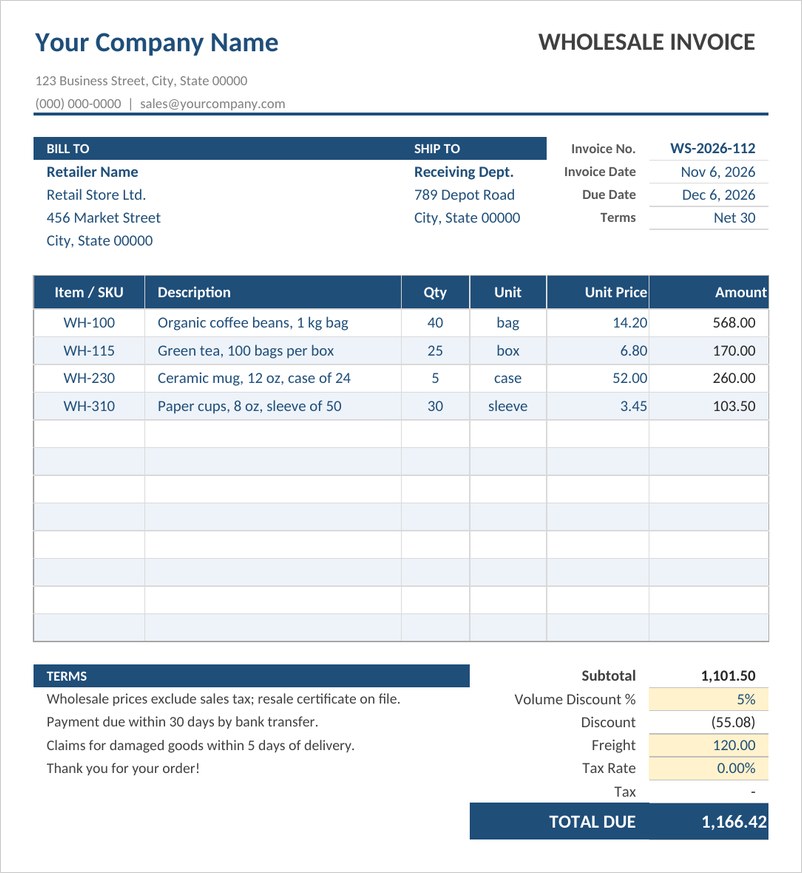
An Excel wholesale invoice with bill to and ship to blocks, units per case, a volume discount, freight and tax that all calculate the total due automatically.
Sales Invoice with Discount Template (Excel)
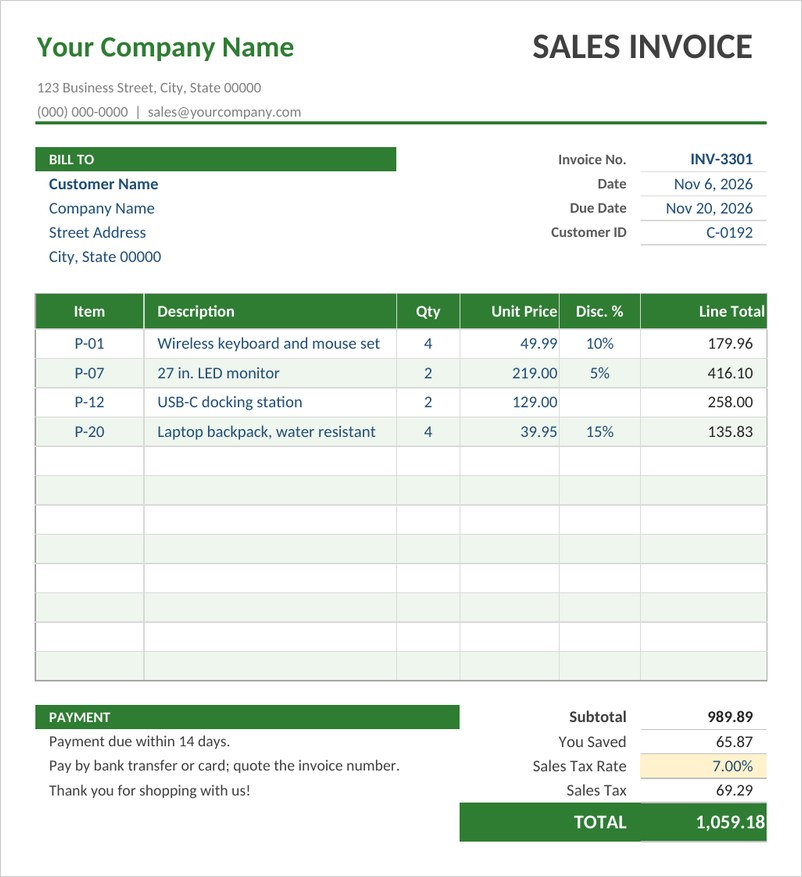
A sales invoice with a discount percentage on each line, automatic line totals, sales tax and a you saved figure that shows customers their total discount.
Simple Sales Invoice Template (Word)
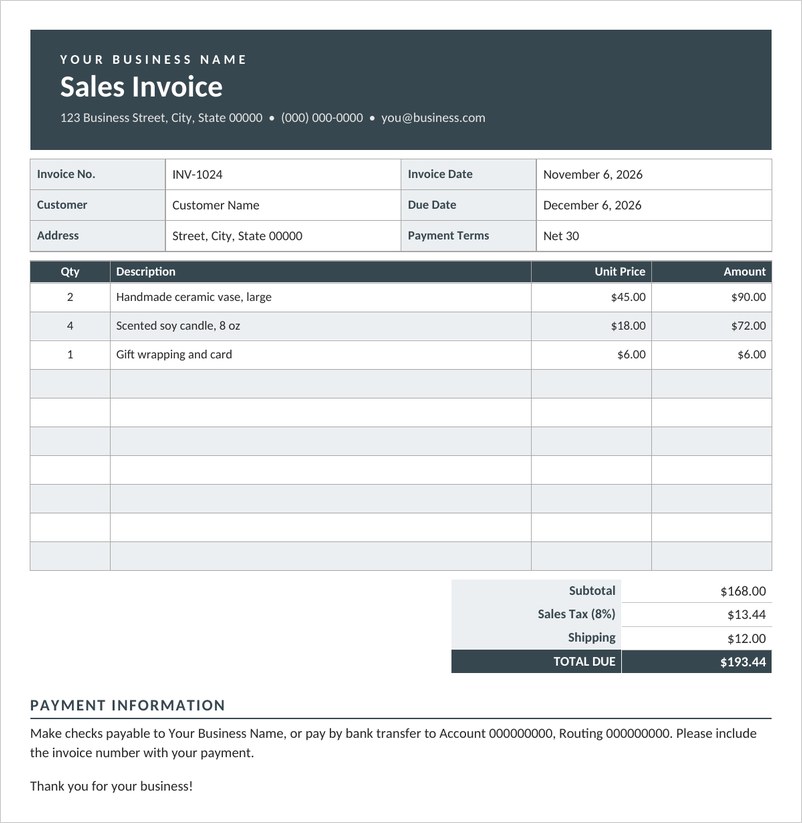
A simple one-page sales invoice in Word with invoice and due dates, customer details, quantity and price table, tax and shipping totals and payment instructions.
Frequently Asked Questions
What is a sales invoice?
A sales invoice is a document sent by a seller to a buyer requesting payment for goods sold, listing the items, quantities, prices, taxes and total due.
What is the difference between a sales invoice and a receipt?
An invoice requests payment, while a receipt confirms that payment has already been made.
How should I number my invoices?
Use a unique, sequential number for each invoice and avoid reusing numbers. Some businesses add a prefix such as the year.
Can I create a sales invoice in Excel?
Yes. An Excel invoice can calculate line totals, taxes and the balance due automatically.
What payment terms should I use?
Choose terms that suit your business and customers and state them clearly, along with the due date and accepted payment methods.

You must be logged in to post a comment.