

Use these weekly schedule templates to plan weekly classes, shifts and family commitments. Compare 5 downloads below, then choose the file that fits your task.
Choose a Download
| Resource | Format | Download |
|---|---|---|
| Weekly Hourly Schedule Template | Word | Download Weekly Hourly Schedule Template |
| Weekly Employee Shift Schedule | Excel | Download Weekly Employee Shift Schedule |
| Weekly Class Schedule Template | Word | Download Weekly Class Schedule Template |
| Printable Weekly Planner Template | Word | Download Printable Weekly Planner Template |
| Weekly Family Schedule Template | Word | Download Weekly Family Schedule Template |
A weekly schedule allocates activities across seven days. Use a daily schedule for detailed single-day planning and a calendar for dated commitments.
For the next step, compare daily schedule templates and task list templates.
What Is a Weekly Schedule?
A weekly schedule is a plan that shows your appointments, tasks and activities for each day of the week, often broken down by hour or time block. It gives a full view of the week at a glance, so you can see busy days, free time and deadlines together. A weekly schedule template provides the grid of days and times in advance, so you just fill in your plans.
Usefulness of weekly schedule template
It is one of the great time management tools that anyone can use in every walk of life. For example, a student can use weekly schedule to keep proper track of classes, lessons, homework, deadlines, assignments and other academic activities of the week to complete them in timely manner without delay. Through this way a student can easily chase his or her study goals efficiently without forgetting any important one. Having a schedule for week at place lets you to get things done properly as well as saves your precious time for many other things.
With help of a weekly schedule you will be able to keep track of what needs to be done by you during the seven days of week as well as to make sure that all required duties are performed successfully. Our weekly schedule template is produced in MS excel and handful for everyone to prepare a schedule for week. You can take print out of the schedule to keep it with you or can also save it as a soft copy in storage of computer. Alterations can also be made in the schedule easily to mark works and tasks as done or pending.
Free Weekly Schedule Template in Excel
The collection provides 5 files in Word and Excel. Edit the Word documents in a compatible word processor. Use Excel for the spreadsheet files. For a printable PDF, export a completed document from its application rather than looking for a separate PDF download.
Types of Weekly Schedules
- Weekly planner: a general plan of appointments and tasks.
- Hourly weekly schedule: each day divided into hourly or half-hourly slots.
- Class or school schedule: lessons, rooms and times for students.
- Work or shift schedule: staff shifts for the week.
- Family schedule: activities, school runs and chores for each family member.
- Workout schedule: exercise sessions planned across the week.
- Study timetable: revision blocks by subject before exams.
What to Include in a Weekly Schedule
- Days of the week, with dates.
- Time slots that suit your day, such as hourly from 7 am to 9 pm.
- Fixed commitments: work, classes, meetings and appointments.
- Tasks and deadlines for the week.
- Personal time: exercise, meals, family and rest.
- A notes or priorities box for the week.
Weekly Schedules for Students
Students can use a weekly schedule to map classes, lectures and lab sessions, then add study blocks for each subject between them. Scheduling assignment deadlines and exam dates on the same page shows where workloads pile up, so you can start earlier on busy weeks. Add part-time work, sports and social activities too, so the plan reflects your real week.
Weekly Schedules for Work
At work, a weekly schedule helps you block focused time for important projects around meetings and calls. Many people reserve the start of the day for deep work and group meetings in the afternoon. Managers can use a simple weekly grid to plan team cover, shifts and deadlines, then share it so everyone knows who is available each day.
How to Create a Weekly Schedule
Start with fixed commitments that cannot move, such as work hours, classes and appointments. Then add your most important tasks for the week and block time for them, ideally when you have the most energy. Fill the remaining time with smaller tasks, errands and personal activities.
Leave buffer time between activities for travel or overruns, and keep some open time for unexpected tasks. Use colors or symbols to separate work, study, family and personal activities so the schedule is easy to read. At the end of the week, review what worked and use that to plan the next one.
Benefits of Using a Weekly Schedule
A weekly schedule helps you manage time better, avoid double bookings and see deadlines coming. It makes it easier to balance work or study with rest and personal life, and it reduces the stress of deciding what to do next. For families and teams, a shared weekly schedule keeps everyone on the same page.
Tips for Weekly Planning
- Plan the week ahead on the same day each week, such as Sunday evening.
- Group similar tasks together to save time.
- Schedule breaks as well as work.
- Be realistic about how long tasks take.
- Keep the schedule visible and update it when plans change.
Downloadable Weekly Schedule Templates And Formats
Below are free weekly schedule templates in Word and Excel, including an hourly schedule, an employee shift schedule, a class schedule, a printable weekly planner and a weekly family schedule. Download a weekly schedule template and fill in your plans for the week.
Weekly Hourly Schedule Template (Word)
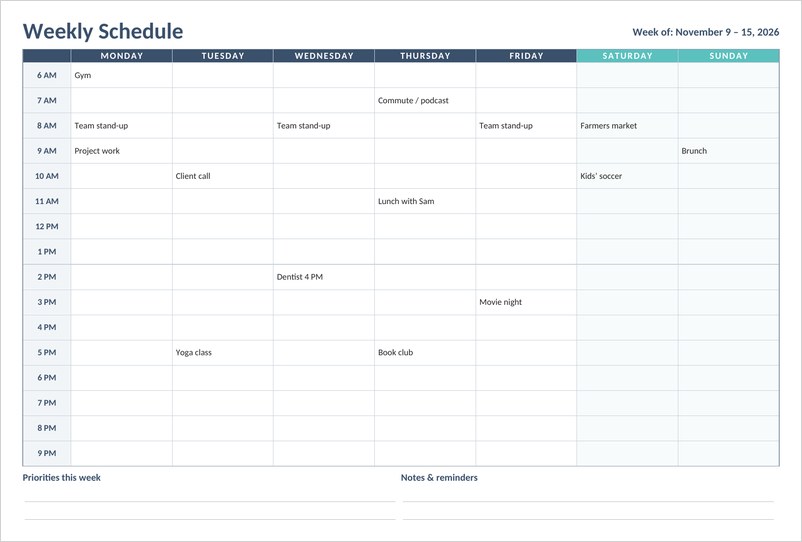
A landscape weekly schedule with hourly time slots from 6 AM to 9 PM for all seven days, plus space for weekly priorities and notes.

Weekly Employee Shift Schedule (Excel)
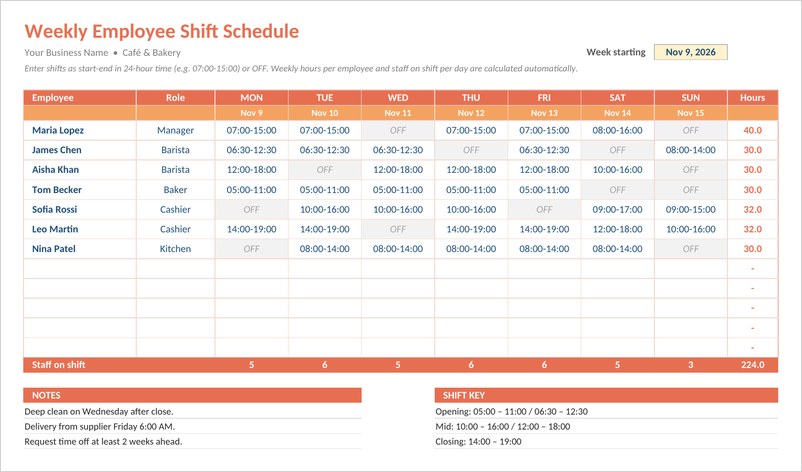
An Excel staff rota for shops, cafes and restaurants where you type shifts like 07:00-15:00 and weekly hours, staff per day and overtime flags calculate automatically.
Weekly Class Schedule Template (Word)
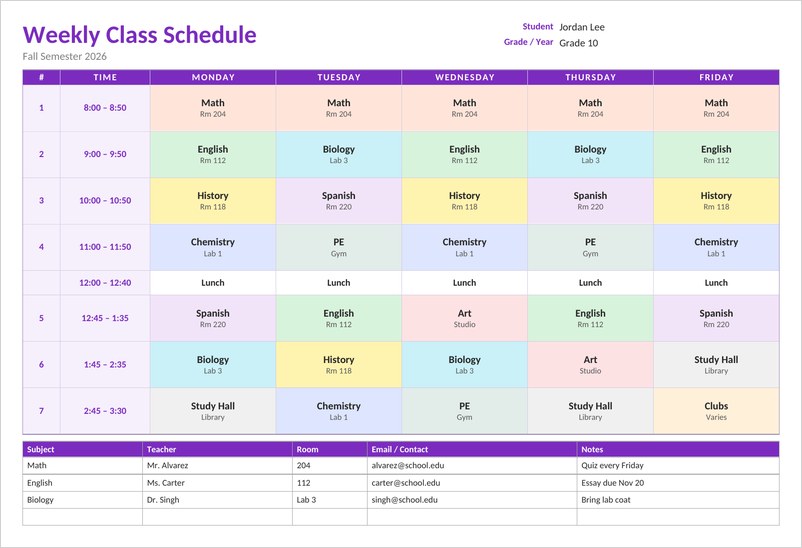
A color-coded weekly class schedule for students with seven periods, lunch, room numbers for each class and a teacher contact table below.
Printable Weekly Planner Template (Word)
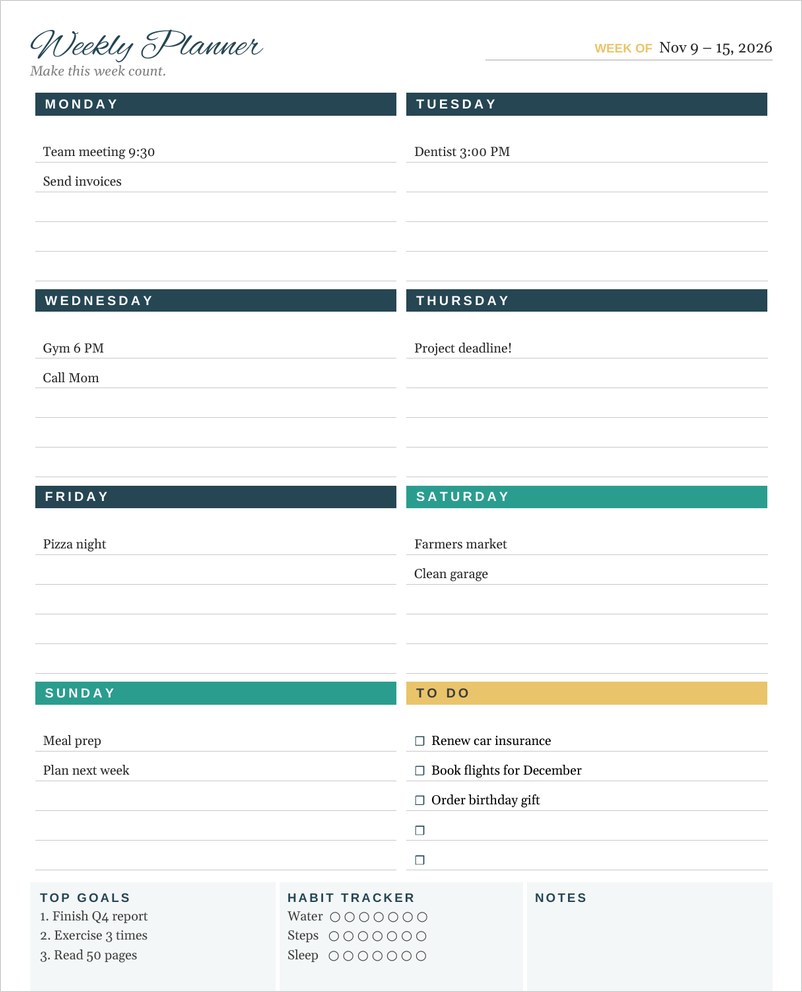
A pretty printable weekly planner with lined boxes for each day, a to-do checklist, top goals, a simple habit tracker and notes, fully editable in Word.
Weekly Family Schedule Template (Word)
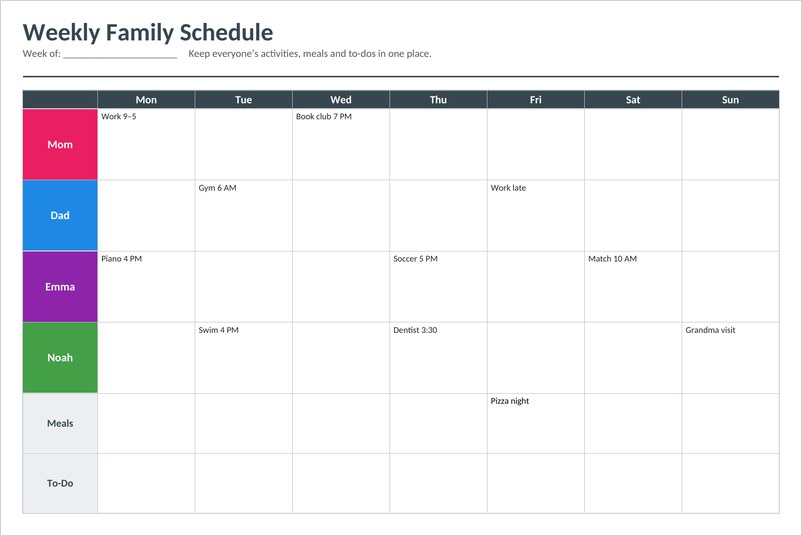
A landscape weekly family schedule in Word with a color-coded row for each family member, Monday to Sunday columns, plus meal plan and to-do rows.
Frequently Asked Questions
What is a weekly schedule template?
It is a ready-made grid of days and time slots that you fill in with appointments, tasks and activities for the week.
How do I make a weekly schedule in Excel?
Use an Excel weekly schedule template, adjust the time slots, then type in your activities and use cell colors to group them.
What should I put in my weekly schedule first?
Start with fixed commitments such as work, classes and appointments, then add important tasks and personal time.
How is a weekly schedule different from a daily schedule?
A weekly schedule shows the whole week at once, while a daily schedule focuses on a single day in more detail.
Can I use a weekly schedule for a team or family?
Yes. Add a row or color for each person so everyone can see their activities and shared commitments.

Pingback: 5 Free Task List Templates (Word & Excel)
Pingback: Office Calendar Templates 2026 & 2027: Free Word & Excel
Pingback: Free Daily Schedule Templates in Word & Excel – Download Now