

Download 10 editable maintenance work order templates for Word and Excel. Use the printable Word form to assign a single repair, the Excel work order tracker to manage an open backlog, or the labor and parts calculator to estimate what a job will cost. Each download has a preview and a specific purpose, so you can choose a form that matches the work you actually do.
If you need to send someone out today, start with the maintenance work order form. For a resident reporting a problem, send the tenant maintenance request form first. For a recurring service task, use the preventive maintenance schedule to identify when the next work order should be opened.
Choose a maintenance work order template
| Template and use | Preview | Download |
|---|---|---|
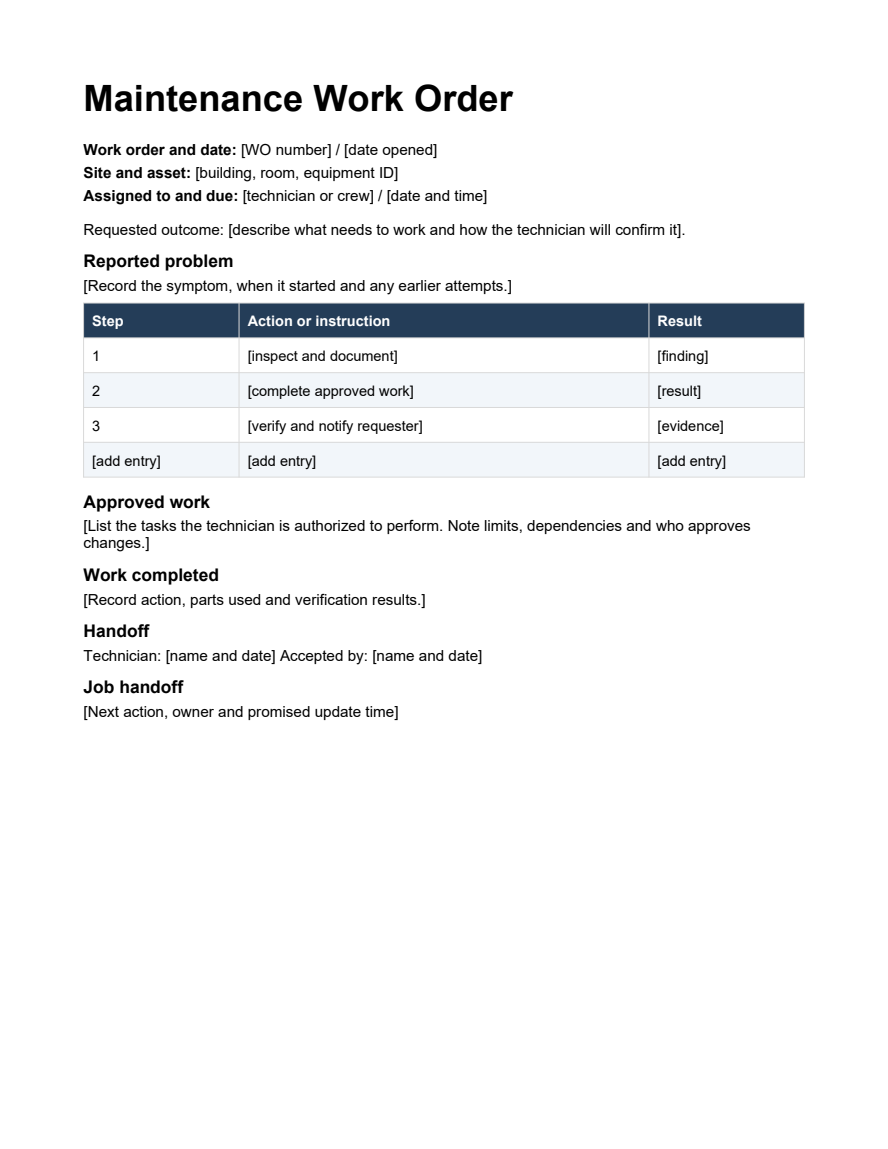
| Maintenance Work Order Assign one repair to a technician, with room for the approved scope, job notes and handoff. | Preview | Word |
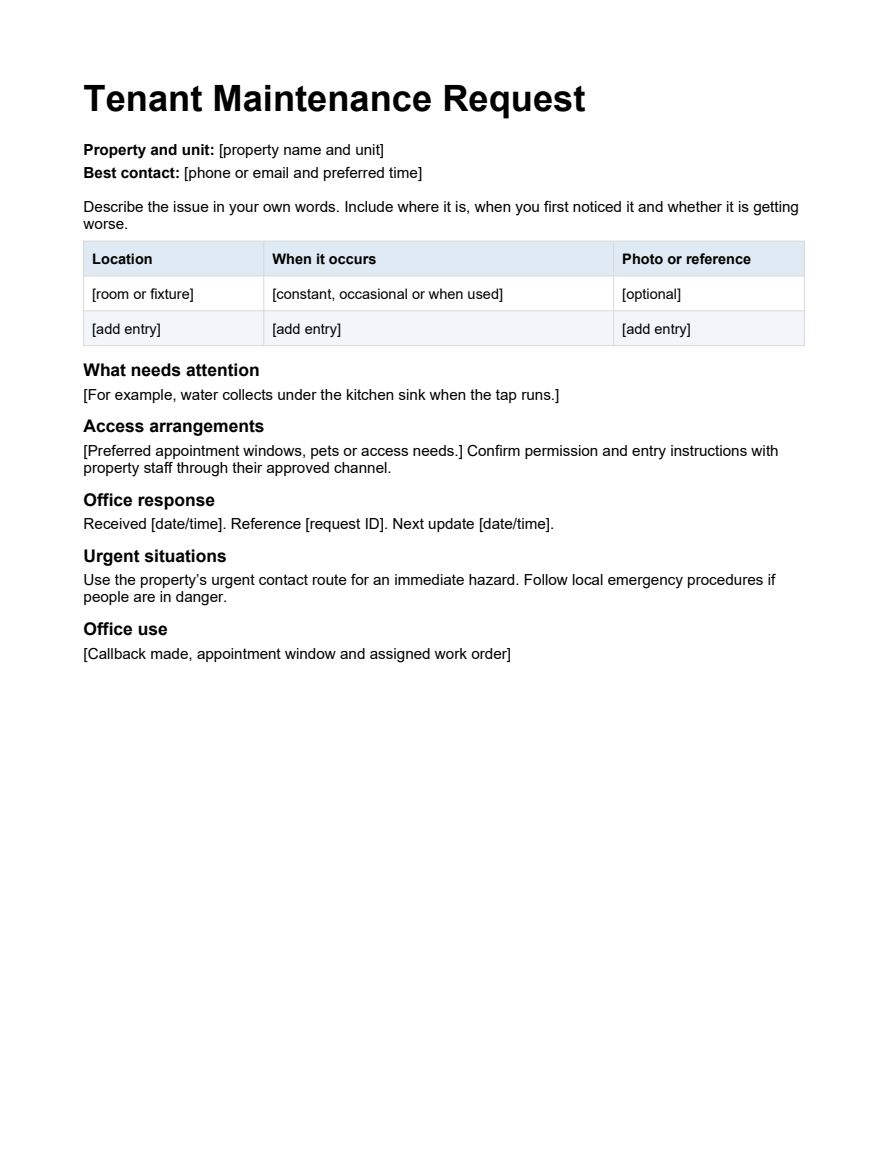
| Tenant Maintenance Request Give residents a plain-language way to report a problem and specify how staff can contact them. | Preview | Word |
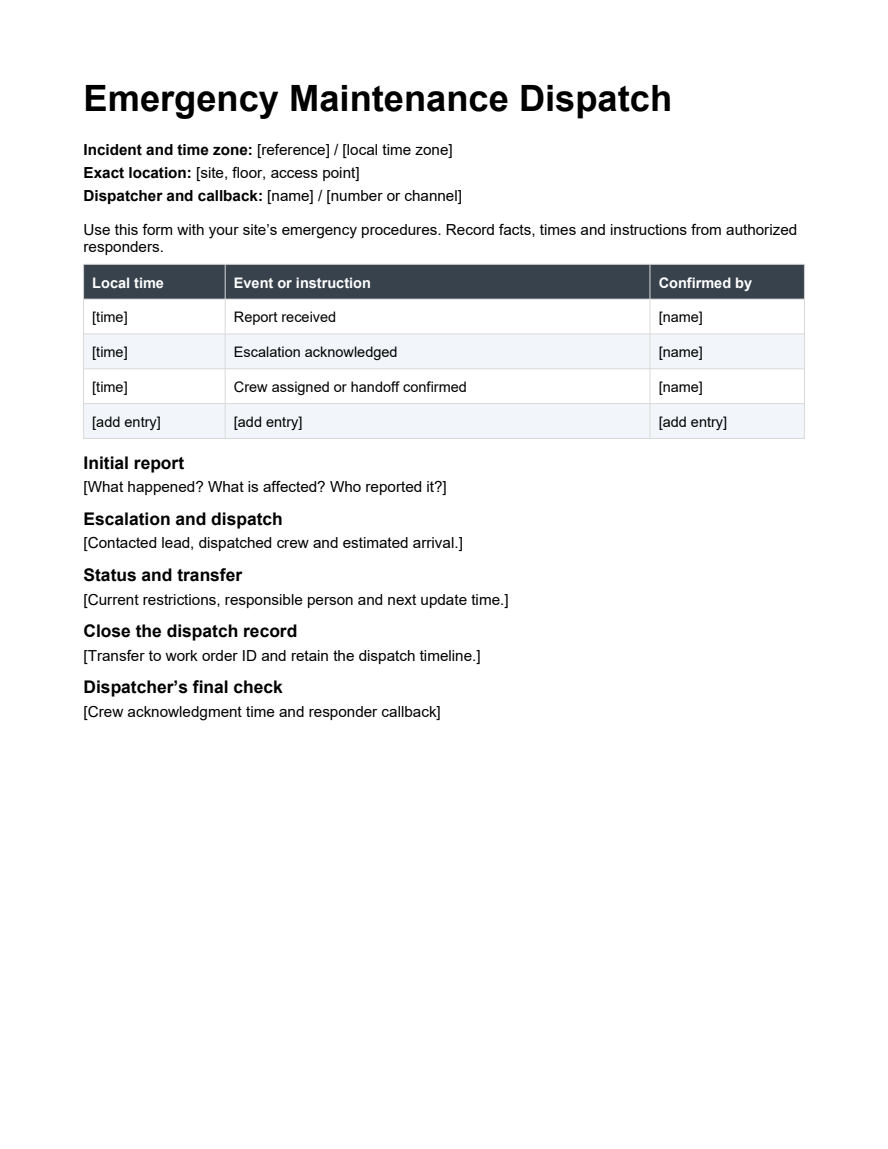
| Emergency Maintenance Dispatch Record the call, escalation, crew assignment and next update during an urgent incident. | Preview | Word |
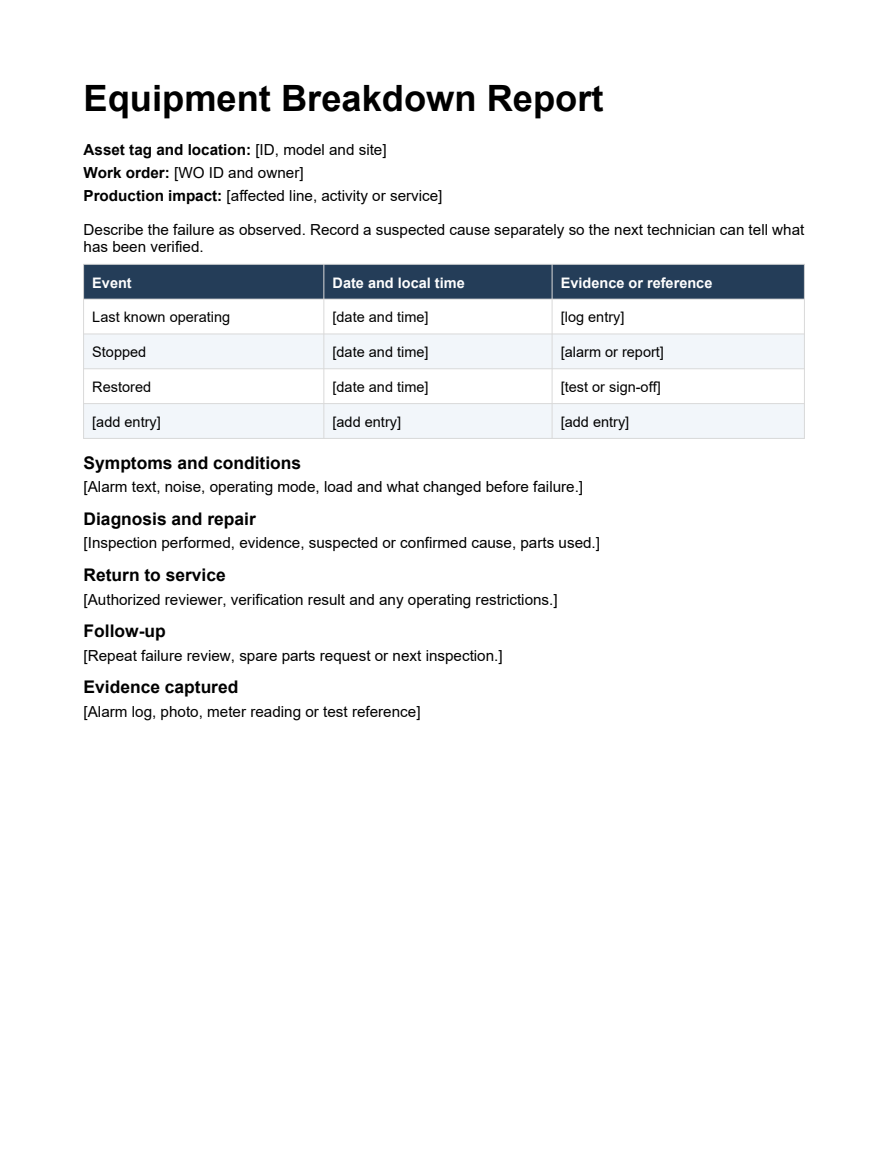
| Equipment Breakdown Report Document symptoms, downtime and evidence for a technician or reliability review. | Preview | Word |
| Contractor Work Authorization Send an external vendor the approved scope, spending limit and closeout requirements. | Preview | Word |
| Maintenance Completion Sign Off Verify results, document exceptions and transfer any unfinished work before closing the job. | Preview | Word |
| Maintenance Work Order Tracker Track open orders, jobs waiting for parts and overdue repairs across sites. | Preview | Excel |
| Preventive Maintenance Schedule Calculate the next service date from completion dates and calendar-day intervals. | Preview | Excel |
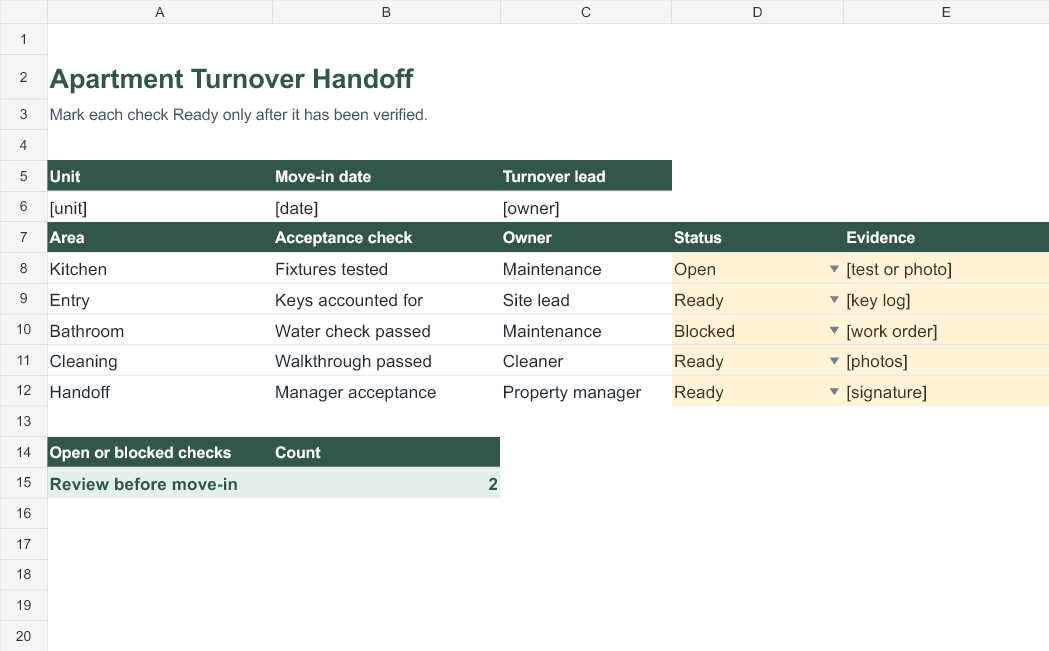
| Apartment Turnover Readiness Board Assign move-in checks and see what still needs to be verified. | Preview | Excel |
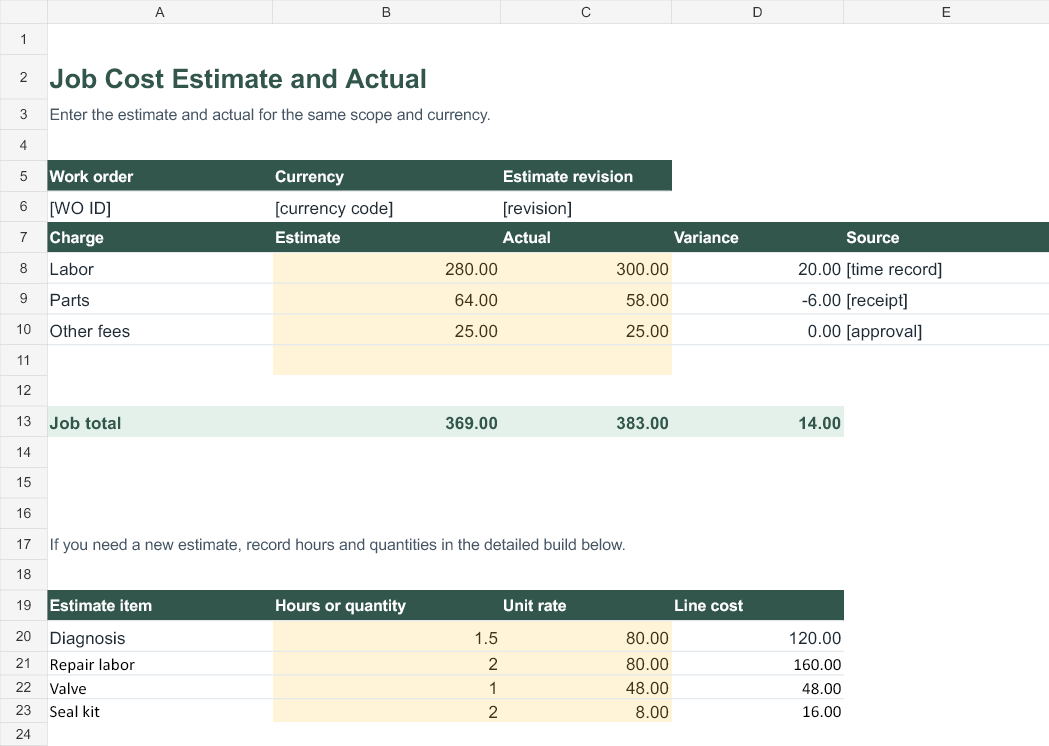
| Work Order Labor and Parts Calculator Estimate labor, materials and other fees with separate subtotals. | Preview | Excel |
What is a maintenance work order?
A maintenance work order records the job that someone has agreed to carry out. It identifies the site or asset, the approved task, the person responsible, and the expected completion or update time. It also gives the technician a place to record the repair and the evidence that the problem was resolved. That last part matters when a resident calls about the same issue next week or another technician takes over the job.
A work request starts the process. It describes what someone noticed and how to contact them. A work order turns that report into an assignment with scope and ownership. A work order log tracks several assignments together. An invoice records charges. Reuse the same work order number across all four records so that a manager can trace a charge back to the repair and the original report.
Which maintenance template should you download?
1. Maintenance work order form for a single job
Use this printable Word form when you already know which repair you need to assign. Put the equipment ID or exact room near the top. Define the approved work and what counts as a successful result. For a sticking door, that could mean the door opens, closes and latches on repeated normal use. Leave room for the technician to record what they found, changed and verified.
2. Tenant maintenance request form for apartments and rentals
Give residents a simple way to describe the issue, say when it happens, attach a reference photo and specify a callback window. One example is “Water collects under the kitchen sink only when the tap runs.” That description gives the property manager more to work with than “sink broken.” Keep permission to enter and sensitive access instructions in the property’s approved channel.
3. Emergency maintenance dispatch form for urgent calls
Use this time-based record to document when an urgent call came in, who acknowledged the escalation, where responders were sent and who owns the next update. A dispatch record is useful when several people handle the same incident. Use the form alongside your established emergency procedures. When people are in immediate danger, follow local emergency procedures first.
4. Equipment breakdown report for corrective maintenance
Use this Word template when a failure could recur or affect service. Capture the asset tag, exact alarm text, last known operating time and the conditions when it stopped. Keep the observed symptom separate from the suspected cause. Record who verified return to service and what test they used. That gives a future technician a starting point beyond a note that simply says “fixed.”
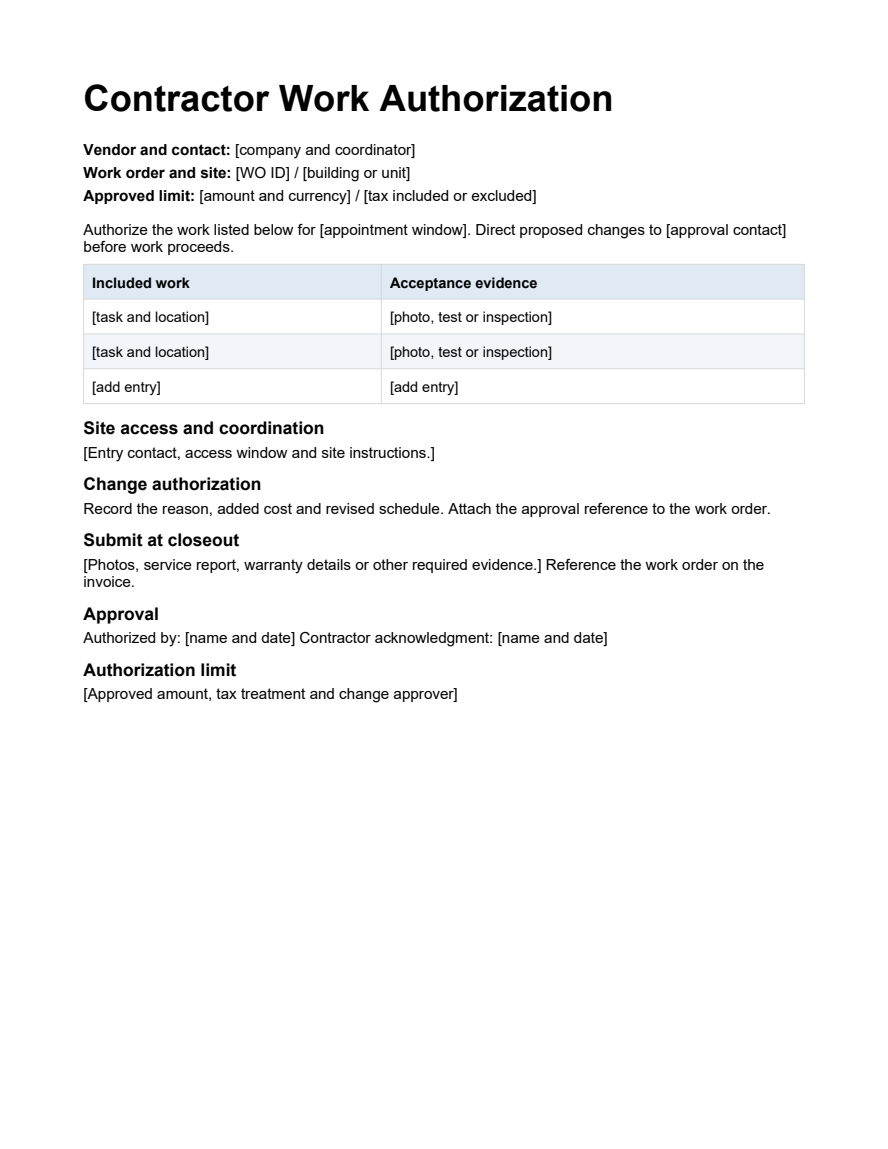
5. Contractor work authorization for outside vendors
Send the contractor the site, appointment window, approved work and spending limit. Specify whether the limit includes tax, which documents are required at closeout, and who approves extra work. If a vendor discovers an additional fault, record the proposed change and obtain approval under your organization’s process. Ask the vendor to put the work order number on the service report and invoice.
6. Maintenance completion sign-off for job closeout
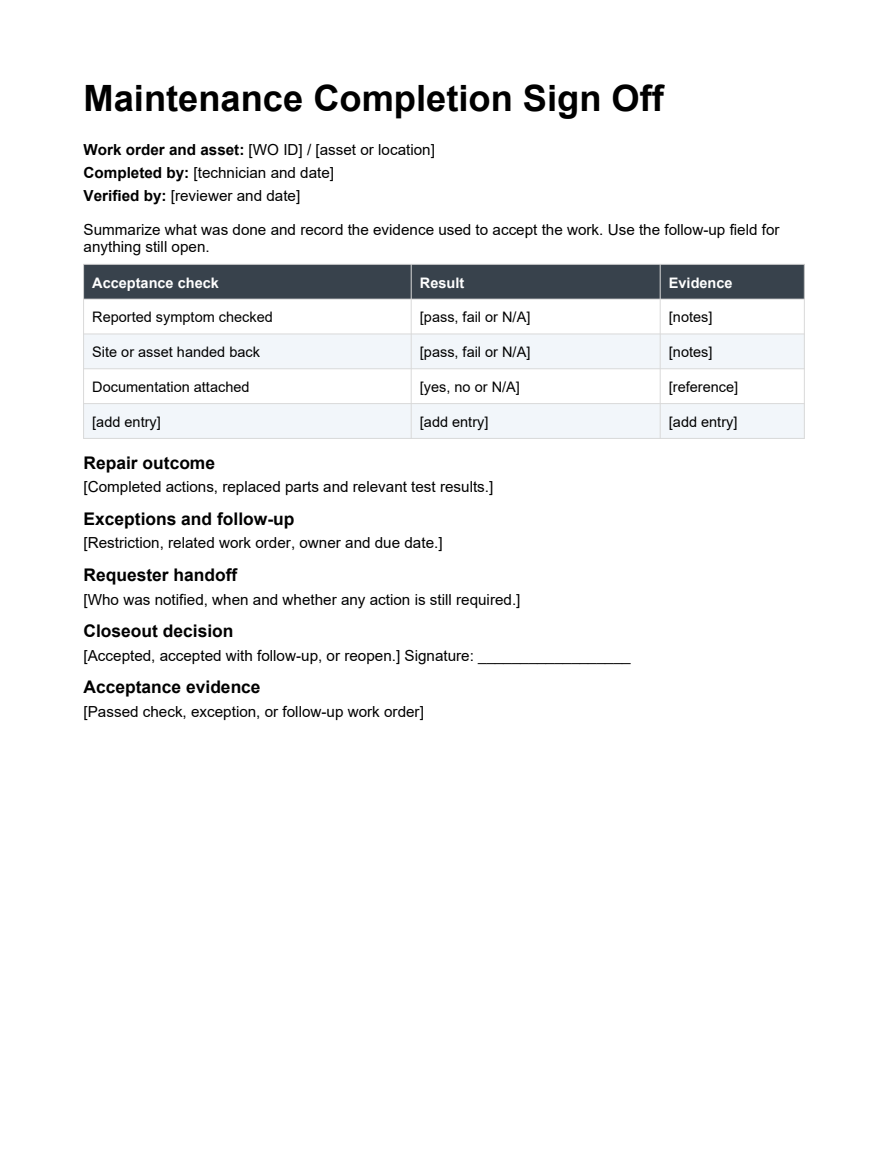
Use this form when another person needs to accept the repair or confirm a handover. Record the checks performed, what passed and any exceptions. If part of the work remains open, assign it a separate reference, owner and due date. A signature records acceptance, while the test results explain what the reviewer accepted.
7. Excel maintenance work order tracker for open jobs
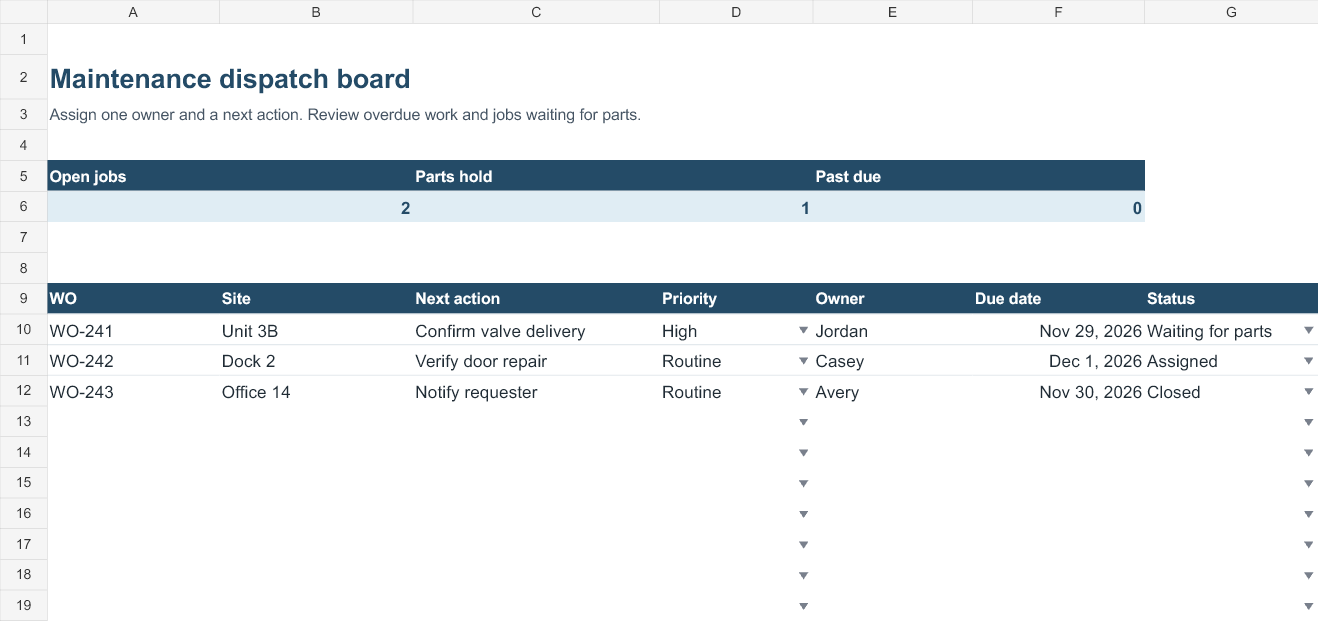
Use the tracker when a team needs one list for jobs across several units or sites. Assign one row per work order and use the status dropdown to distinguish assigned work from jobs waiting for parts. The summary counts open orders, parts delays and past-due jobs. The formulas and dropdowns cover rows 10 through 109. Enter due dates as Excel dates so the past-due count can evaluate them.
8. Preventive maintenance schedule for recurring service
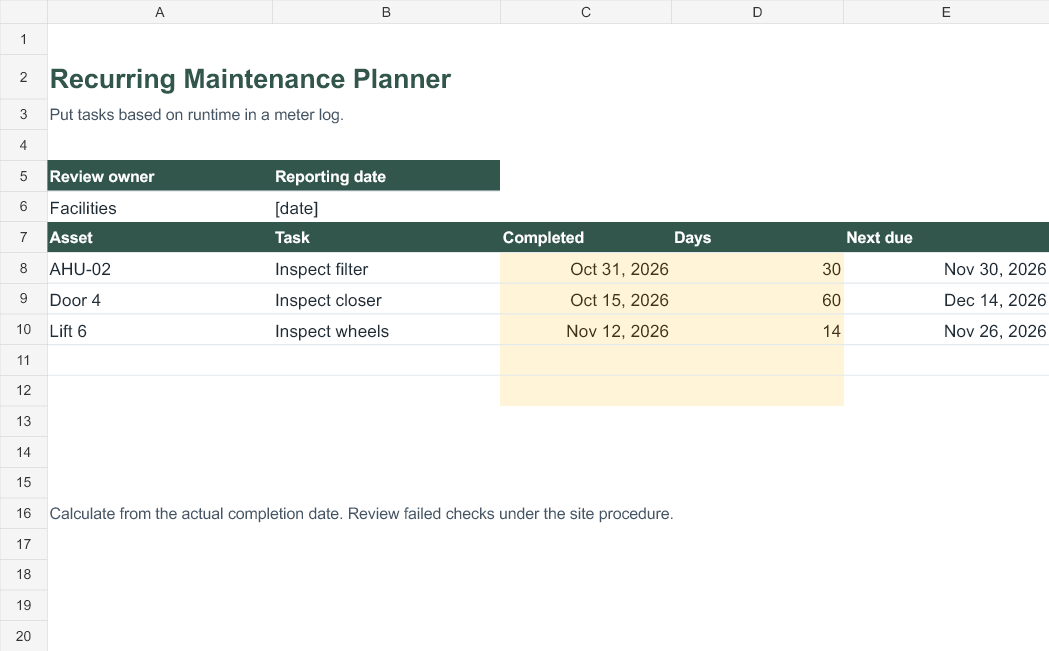
Use the preventive maintenance spreadsheet for equipment checks that repeat after a fixed number of calendar days. Enter the actual completion date and the interval. The next due date updates automatically for the five task rows provided. Base the interval on the equipment instructions or your site’s schedule. If a task is due by run hours, mileage or a specified calendar month, manage it using that rule instead of treating it as a fixed day interval.
9. Apartment turnover readiness board for move-ins
Use one board per unit. Assign reviewers for keys, maintenance, cleaning and the final walkthrough. Each row describes what ready means and provides a place for evidence. Mark a check ready after verification. A unit can have clean rooms while a fixture still needs repair, so track the outstanding repair on its own work order and keep the related readiness check open.
10. Work order labor and parts calculator for repair estimates
Enter labor hours and hourly rates separately from parts quantities and unit prices. The workbook calculates line totals, labor and materials subtotals, and the estimated total before tax. Enter actual charges beside the estimate to see the variance. In the supplied example, diagnosis costs 120, repair labor costs 160, parts cost 64 and other approved fees add 25. The total is 369 in the currency you use for the job.
How to fill out a maintenance work order
- Log the request. Record who reported the issue, what they observed and exactly where it happens. Use a consistent reference such as WO-241 on the spreadsheet, field form and closeout record. If several people report the same failure, link their reports to the existing work order.
- Set priority and ownership. Apply your site’s rules for urgent, high and routine work. Give one person responsibility for the next action. Record both the repair target and the next update time when you cannot yet promise a completion date.
- Write the approved scope. State which equipment or area is included, the result expected and any approval needed before proceeding. For an outside repair, note the spending limit and the name or role that can approve changes.
- Track delays and changes. If a part is unavailable, record the item, the expected arrival and who will check on it. For revised scope, retain the approval reference and update the person who requested the repair.
- Verify and close. Write down the test, what happened and who accepted the result. Notify the requester. Record related follow-up work separately so open issues stay visible after the completed job is closed.
Worked example for a rental property repair
A resident in Unit 3B reports a kitchen leak that happens when the tap runs. The office logs the location, observation and best callback time on the maintenance request form. It checks the property’s response procedure, agrees on an appointment and opens WO-241. The technician’s work order authorizes inspection and repair of the identified fixture. If inspection points to additional work beyond that scope, the technician contacts the designated approver.
The coordinator adds WO-241 to the Excel tracker with an owner and due date. If the technician has to order a part, the coordinator changes the status to Waiting for parts and tells the resident when to expect another update. The estimate stays tied to the same work order number, which makes it easier to compare approved spending with the final invoice.
At closeout, the technician records the part installed and describes the verification, such as running the tap and observing the repaired area under normal use. The reviewer records whether the check passed and confirms that the resident was notified. If the resident reports a recurrence, the office can find the prior work and decide whether to reopen the job or create a linked work order.
Set up a work order system a small team can maintain
Start with one shared work order log and one person responsible for keeping it current. Decide which channel creates a request and who assigns its owner. A phone call, email and paper form can all describe the same job, so check the location and symptom before opening a second order. If someone reports a recurrence after closeout, link it to the earlier record so the team can see the repair history.
At the start of each shift, check overdue jobs and orders waiting for parts. Give each waiting job a next action. For example, the owner might call a supplier on Tuesday or confirm site access with a resident on Thursday. That review is more useful than a list of statuses alone. A monthly check of recurring failures can also tell you which assets need a better inspection schedule or a review of the repair history.
Use a short status list that everyone understands. A job can be assigned while access is still being arranged. Keep the next action in the record so a colleague can pick it up without making the same calls again. If you archive completed jobs, retain the work order number, dates, acceptance record and location of any supporting evidence.
Related editable forms
Use a service invoice template to bill completed work, a time sheet template to record actual labor hours, or a incident report form when your site requires a separate incident record.
Template previews and editable downloads
Maintenance Work Order (Word)
Assign one repair to a technician, with room for the approved scope, job notes and handoff.
Tenant Maintenance Request (Word)
Give residents a plain-language way to report a problem and specify how staff can contact them.
Emergency Maintenance Dispatch (Word)
Record the call, escalation, crew assignment and next update during an urgent incident.
Equipment Breakdown Report (Word)
Document symptoms, downtime and evidence for a technician or reliability review.
Contractor Work Authorization (Word)
Send an external vendor the approved scope, spending limit and closeout requirements.
Maintenance Completion Sign Off (Word)
Verify results, document exceptions and transfer any unfinished work before closing the job.
Maintenance Work Order Tracker (Excel)
Track open orders, jobs waiting for parts and overdue repairs across sites.
Preventive Maintenance Schedule (Excel)
Calculate the next service date from completion dates and calendar-day intervals.
Apartment Turnover Readiness Board (Excel)
Assign move-in checks and see what still needs to be verified.
Work Order Labor and Parts Calculator (Excel)
Estimate labor, materials and other fees with separate subtotals.
Frequently asked questions
Should I use Word or Excel for maintenance work orders?
Use Word when you need a single job sheet to print, email or sign. Use Excel for multiple jobs, due dates, costs or repeat intervals. Many teams use both, with a shared work order number connecting the spreadsheet row to the printable form.
Can I use these templates for facilities and property management?
Yes. The single-job form and tracker work for facilities maintenance, property management and small repair teams. Use the tenant request and apartment turnover board for rental units. The breakdown report is useful when an equipment fault needs a more detailed maintenance history.
What belongs in a maintenance work order number?
A short, unique reference is enough. A team might use WO-241 or a site prefix such as EAST-0241. Use the same convention across jobs and avoid reusing numbers after an order is closed. Record related work orders in the notes when one issue leads to another.
How do I handle a repair that needs more work?
Record what was completed, what remains and who owns the follow-up. Keep a failed verification visible in the tracker. If the remaining work has a different owner or requires separate approval, open a linked order with a due date and keep the original closeout record available.
Can I turn the Word template into a printable PDF?
Yes. Personalize the Word file first, then export a PDF from your word processor. Save an editable copy separately for future jobs. Check the page break and margins after adding long descriptions or expanding a table.
How do I share work orders without exposing access details?
Share only what each person needs for the job. Use the approved access channel for codes or keys, and keep sensitive details out of any copy sent to outside vendors or printed for a common area. Use asset IDs and work order numbers to connect records when personal information is unnecessary.

