

Count inventory, reconcile stock movements, calculate stock value and set reorder points with 10 editable Excel templates.
Start with the retail stock movement sheet if you need to explain why the shelf count changed. Use the physical count sheet if the numbers already disagree, and the reorder point calculator if your question is when to place the next purchase order.
Choose a template
| Template | Preview | Download |
|---|---|---|
| Retail Stock Movement Tracker Reconcile opening stock, receipts, sales and write-offs for each SKU. | Preview | Excel |
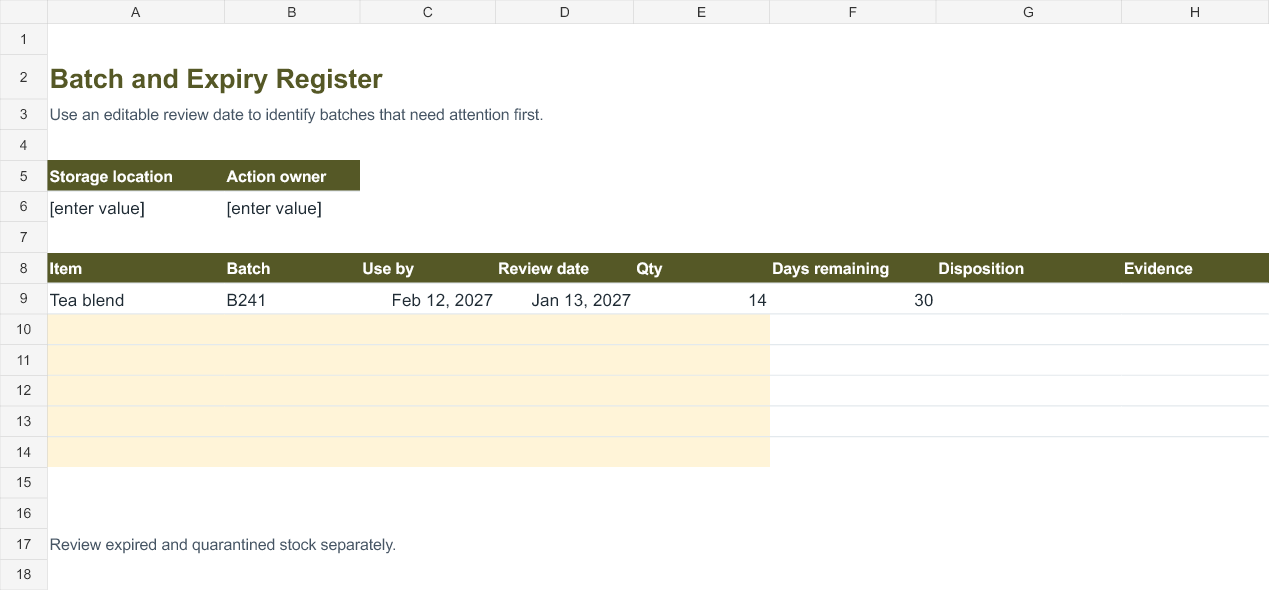
| Reorder Point Calculator Convert average daily usage, lead time and safety stock into a replenishment trigger. | Preview | Excel |
| Physical Stock Count Sheet Capture count discrepancies and give the reviewer a clear follow-up record. | Preview | Excel |
| Warehouse Bin Register Locate stock quickly by aisle, rack and bin while tracking available units. | Preview | Excel |
| Batch and Expiry Register Use an editable review date to identify batches that need attention first. | Preview | Excel |
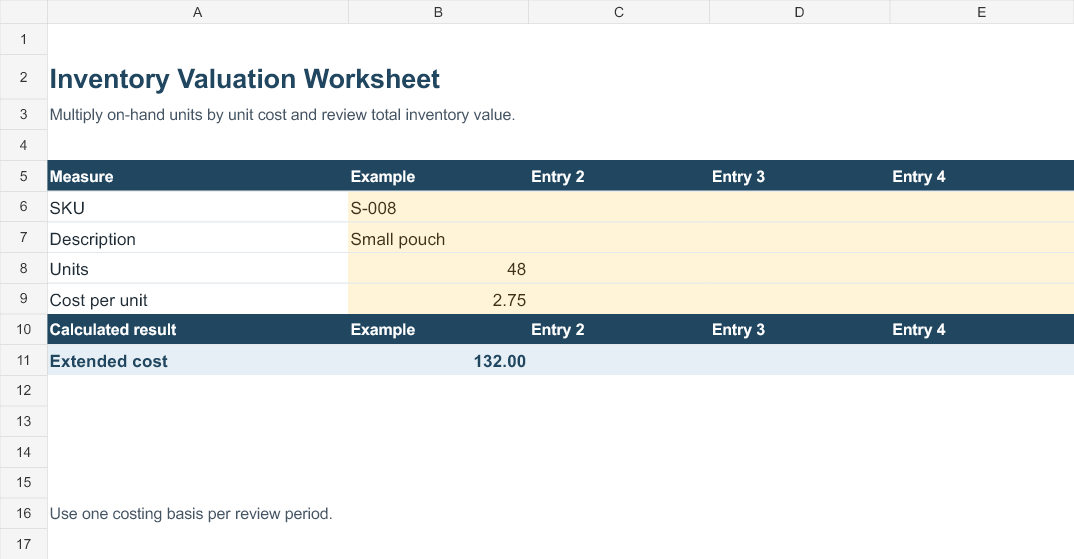
| Inventory Valuation Worksheet Multiply on-hand units by unit cost and review total inventory value. | Preview | Excel |
| Stock Transfer Reconciliation Compare quantities dispatched and received between locations. | Preview | Excel |
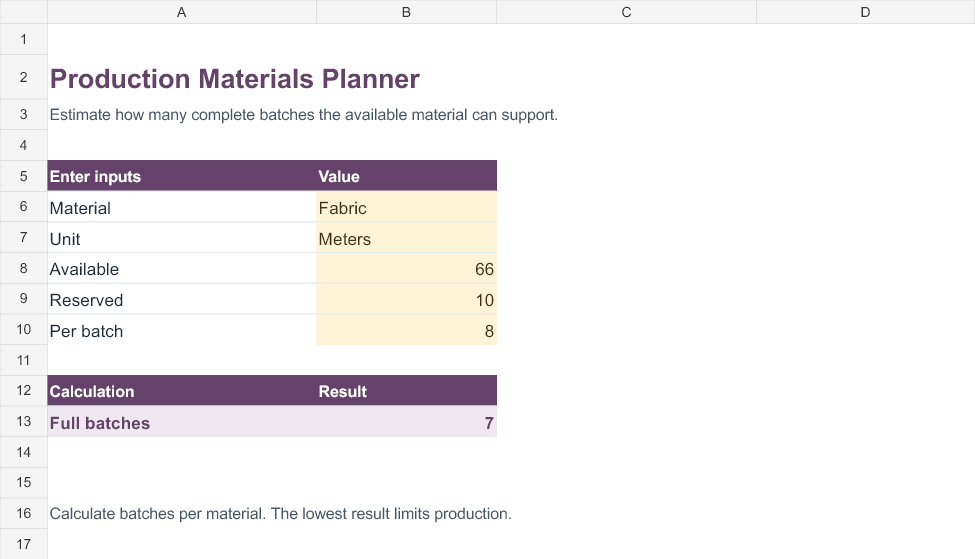
| Production Materials Planner Estimate how many complete batches the available material can support. | Preview | Excel |
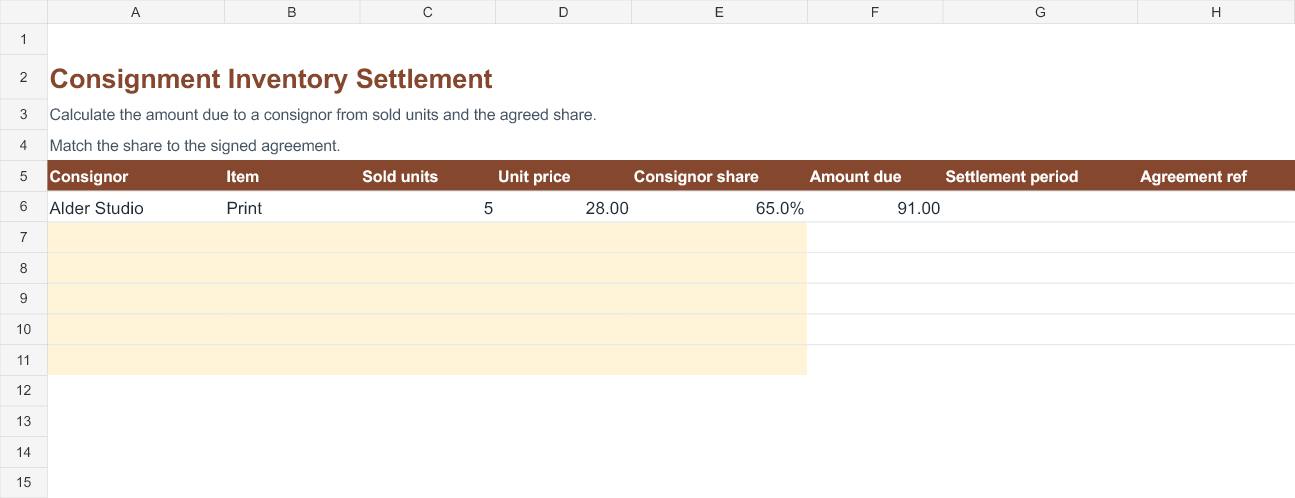
| Consignment Inventory Settlement Calculate the amount due to a consignor from sold units and the agreed share. | Preview | Excel |
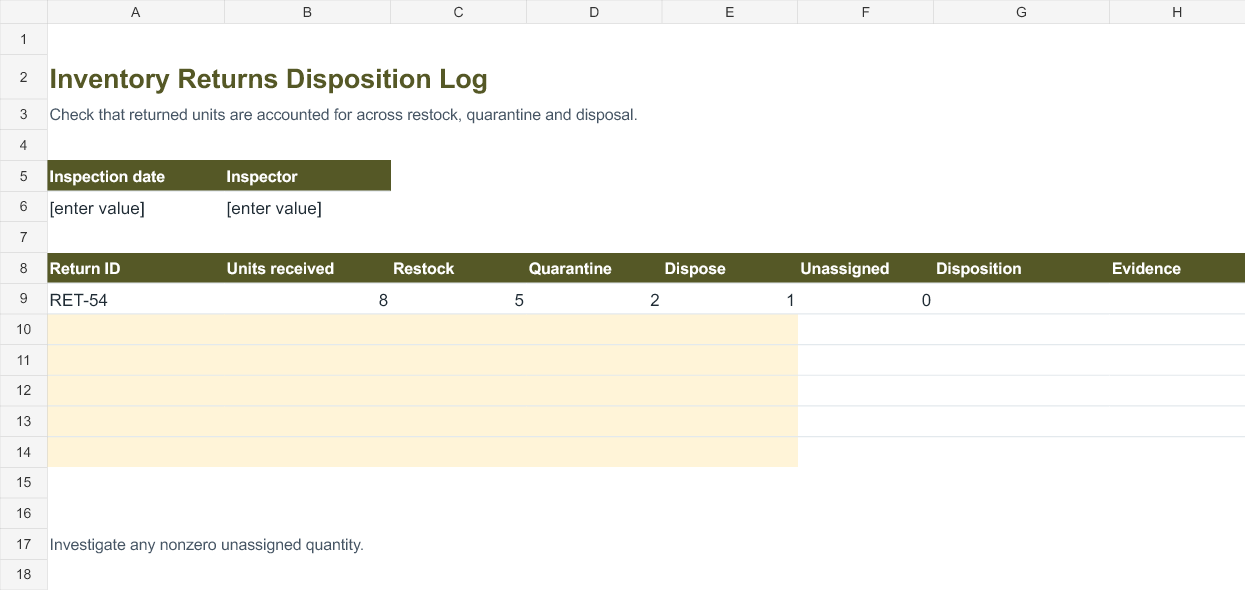
| Inventory Returns Disposition Log Check that returned units are accounted for across restock, quarantine and disposal. | Preview | Excel |
How to use the templates
Set a counting unit
Use the same unit for receipts, sales and the count. If you buy a carton of twelve and sell individual pieces, record twelve pieces when the carton arrives. Put case size in your item record so the next person makes the same conversion.
Choose a cutoff
Record which receipts and sales belong in the period. A delivery on the loading dock can be physically present before it appears in the stock records. Check the receipt time before adjusting the book balance.
Investigate a variance
Recount the location and check adjacent bins. Review transfers, damaged items and returns waiting for inspection. Record the cause and approval before changing the stock record.
Set reorder triggers
Use average daily demand over a representative period and a realistic supplier lead time. Keep safety stock in the same units as demand. Review the trigger if demand or lead time changes.
Worked example
A shop starts with 24 mugs, receives 12, sells 9 and writes off one broken mug. Expected stock is 26. If the shelf count is 24, the difference is two units. Count the stockroom and check transfers before recording a write-off. A separate mailer example uses eight per day, five lead days and 15 safety units, giving a reorder point of 55 units.
When to count the same SKU twice
Use a second count for expensive items or unexplained differences. Give the reviewer the location and unit of measure, and keep the first and second observations. If the second count disagrees, check the bin label and packaging before deciding which number belongs in the tracker.
Build a weekly inventory routine
Review reorder flags before placing orders, check transfers that have left one site but have not arrived at the other, and look at stock set aside for returns. When you review inventory value, use a consistent cost basis. Keep any valuation methods required by your organization in the underlying accounting records.
Stock on hand and stock available
A warehouse bin register can show that 75 units are physically stored and 18 are reserved. That leaves 57 available for another order. If the reservation is canceled, update the reserved count before promising stock to another customer. A physical count still includes reserved items if they remain in that bin. Decide how your team will identify stock that has been picked but has not shipped, and apply the same cutoff every time.
Batch expiry and returns
Use one row per batch and record the date you reviewed it. Sort by days remaining when planning which batch to pick next. Move damaged or returned units into a distinct disposition category before counting them as available. For a return of eight items, recording five restocked, two quarantined and one disposed leaves zero unassigned. A negative result suggests units were allocated more than once.
Keep a simple item master with SKU, description, unit, supplier and reorder details. A location record answers where the item is. A movement record answers why quantity changed. An item master defines what the item is. Keeping those roles distinct helps when two products have similar names or several items share a shelf. If a SKU is retired, preserve its history and make the replacement SKU explicit.
Set a review cadence that matches activity. A busy receiving area might check discrepancies each day, while a small shop may review them weekly. Investigate high-value variances first and record the date, reason and person approving any adjustment. If you use multiple spreadsheets, agree which one is the source for the current balance.
Related downloads
See Purchase order templates and Packing list templates for the records you may need before or after this step.
Template previews and editable downloads
Retail Stock Movement Tracker
Reconcile opening stock, receipts, sales and write-offs for each SKU.

Reorder Point Calculator
Convert average daily usage, lead time and safety stock into a replenishment trigger.
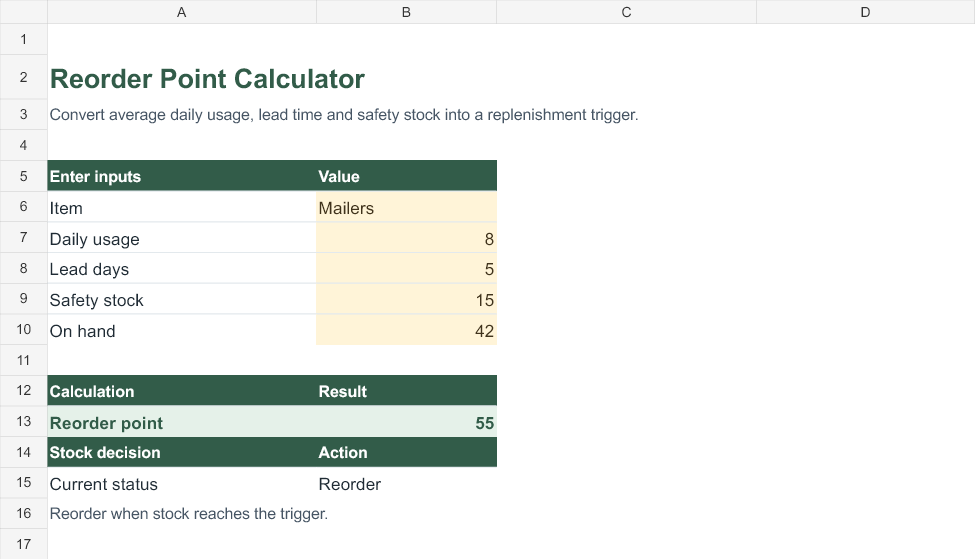
Physical Stock Count Sheet
Capture count discrepancies and give the reviewer a clear follow-up record.
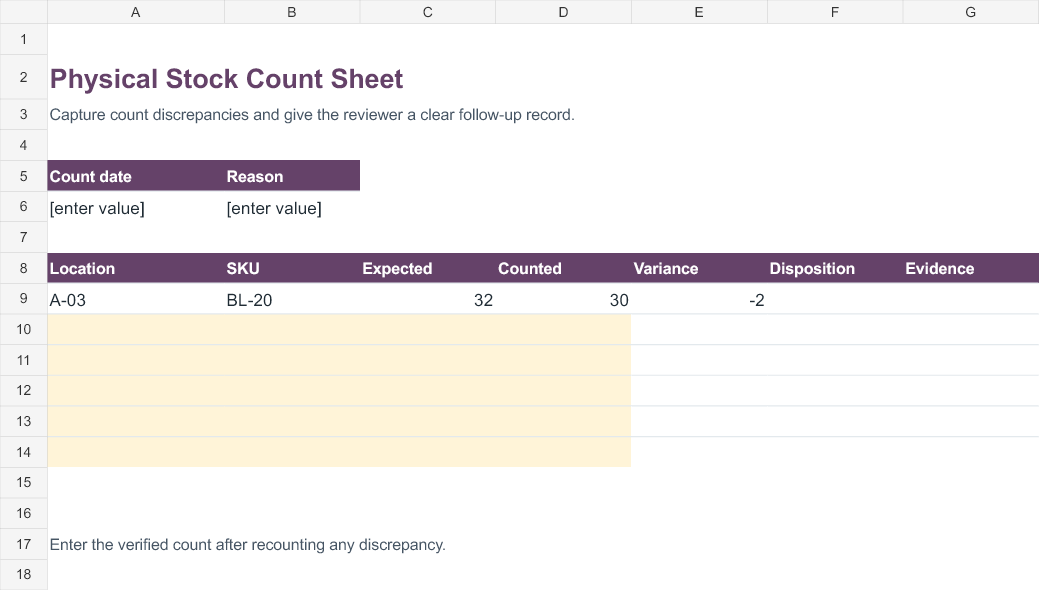
Warehouse Bin Register
Locate stock quickly by aisle, rack and bin while tracking available units.
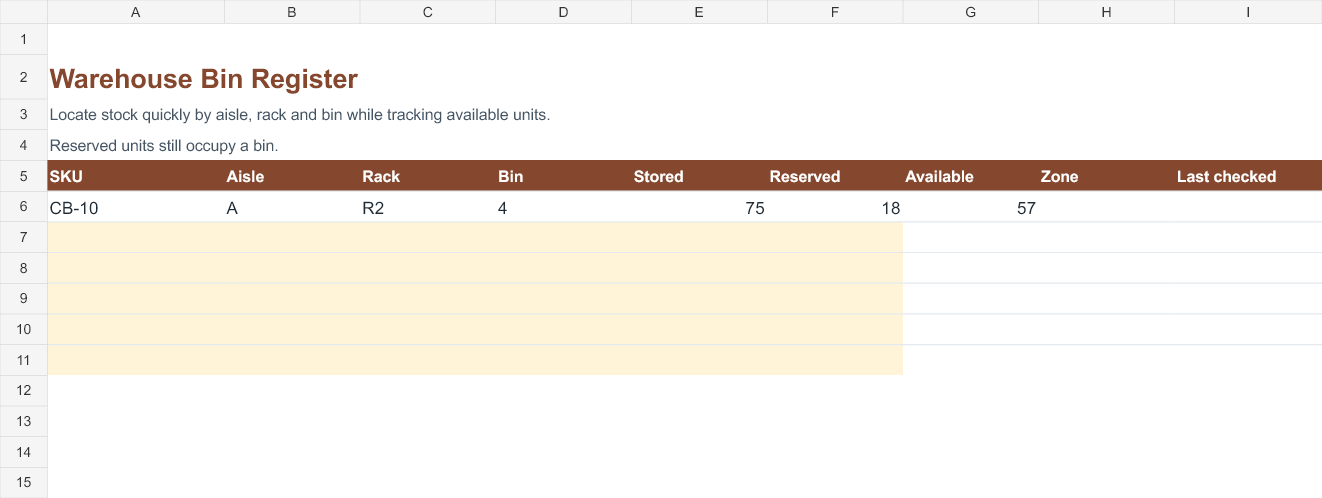
Batch and Expiry Register
Use an editable review date to identify batches that need attention first.
Inventory Valuation Worksheet
Multiply on-hand units by unit cost and review total inventory value.
Stock Transfer Reconciliation
Compare quantities dispatched and received between locations.

Production Materials Planner
Estimate how many complete batches the available material can support.
Consignment Inventory Settlement
Calculate the amount due to a consignor from sold units and the agreed share.
Inventory Returns Disposition Log
Check that returned units are accounted for across restock, quarantine and disposal.
Frequently asked questions
Can I use one sheet for several warehouses?
Use a row per SKU and location if availability matters by warehouse. Track transfers separately and record both dispatch and receipt.
Does the reorder point tell me how much to buy?
It tells you when to review replenishment. Order quantity depends on demand, case sizes, minimum orders and stock already on order.



You must be logged in to post a comment.