

Build labor, material and equipment estimates and document bid assumptions with 10 editable construction estimate templates.
Start with the client construction estimate when you need a proposal someone can review. Use the takeoff, crew labor and equipment worksheets to build the numbers behind it.
Choose a template
| Template | Preview | Download |
|---|---|---|
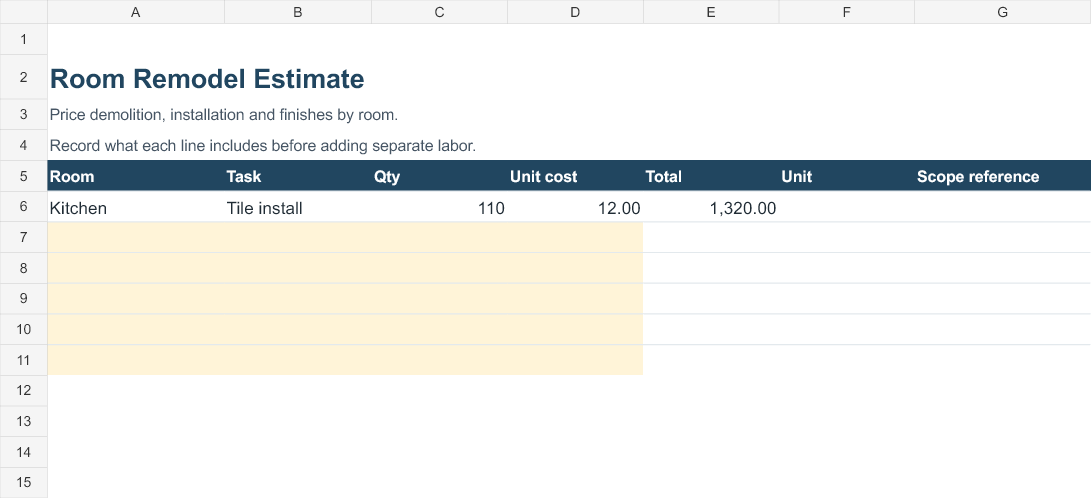
| Room Remodel Estimate Price demolition, installation and finishes by room. | Preview | Excel |
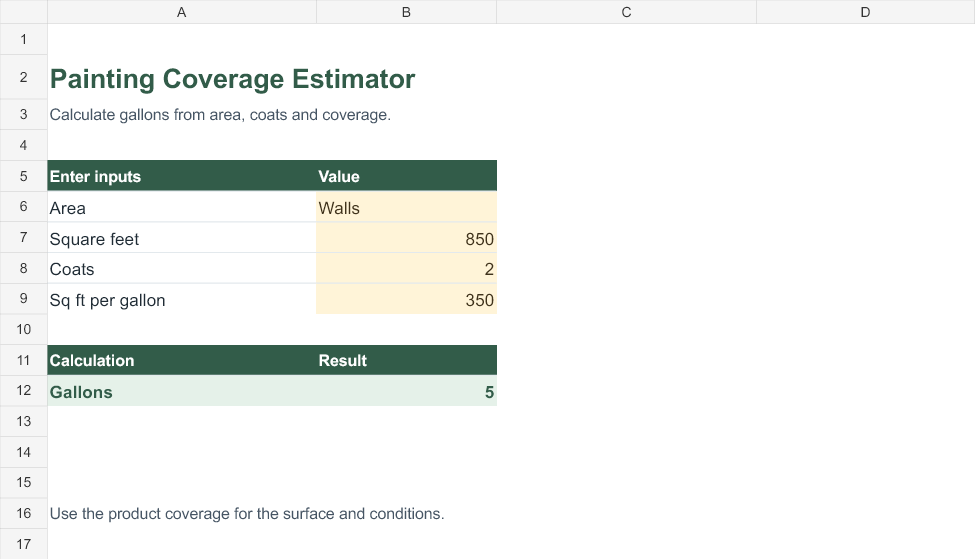
| Painting Coverage Estimator Calculate gallons from area, coats and coverage. | Preview | Excel |
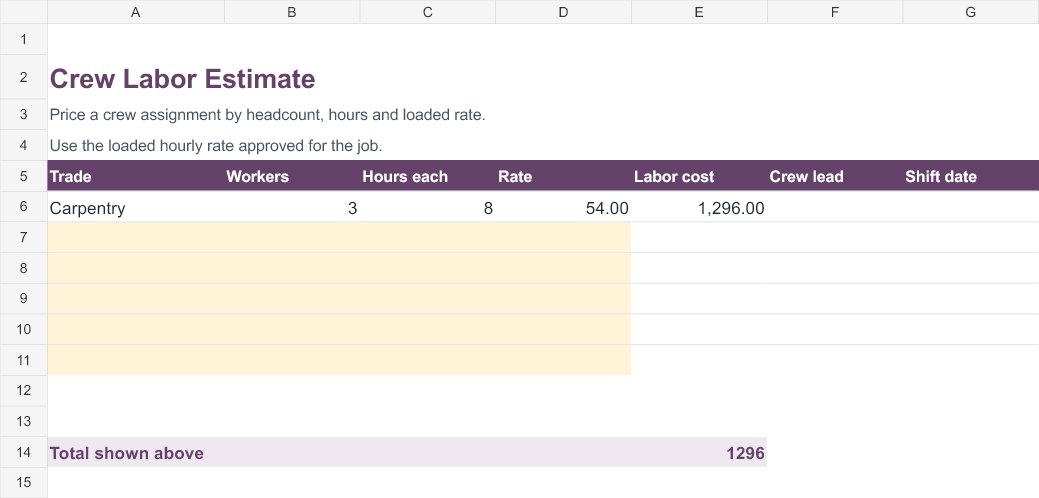
| Crew Labor Estimate Price a crew assignment by headcount, hours and loaded rate. | Preview | Excel |
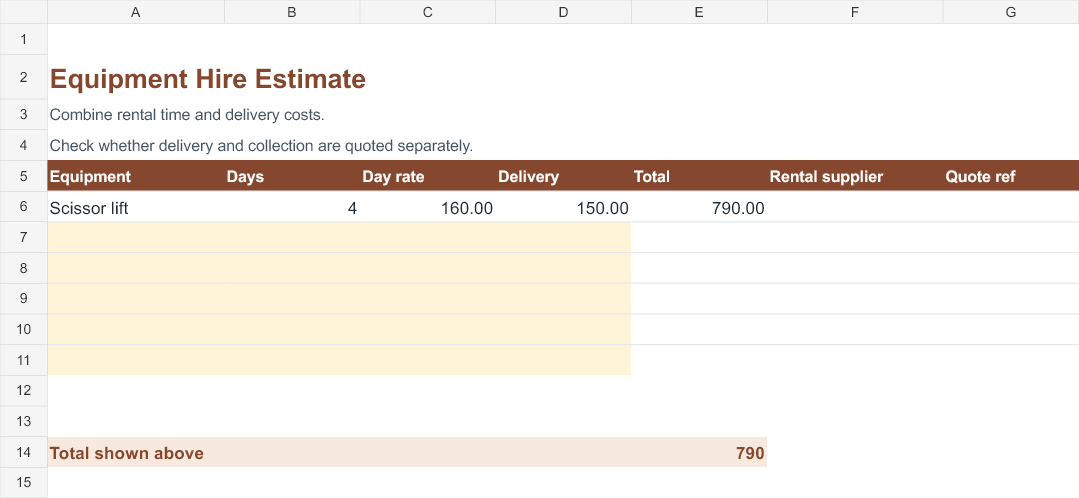
| Equipment Hire Estimate Combine rental time and delivery costs. | Preview | Excel |
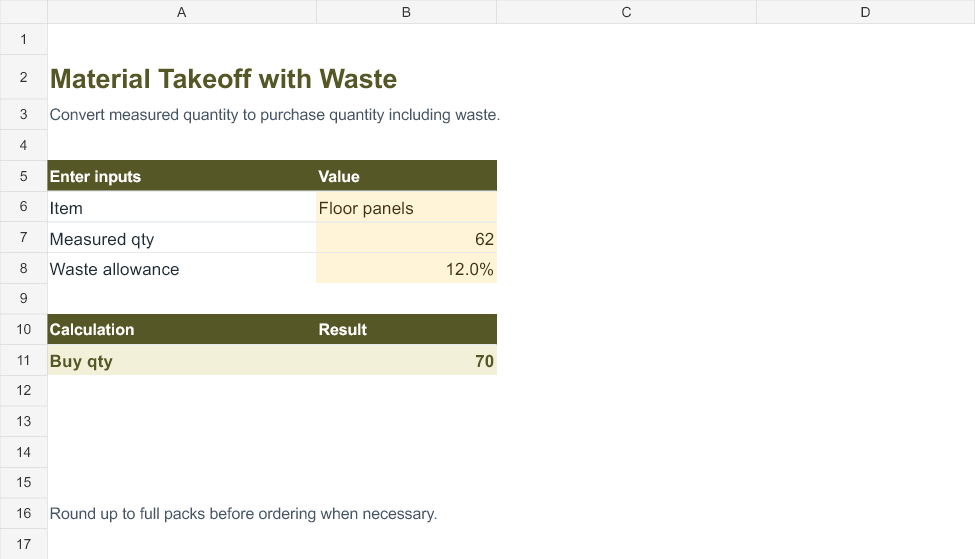
| Material Takeoff with Waste Convert measured quantity to purchase quantity including waste. | Preview | Excel |
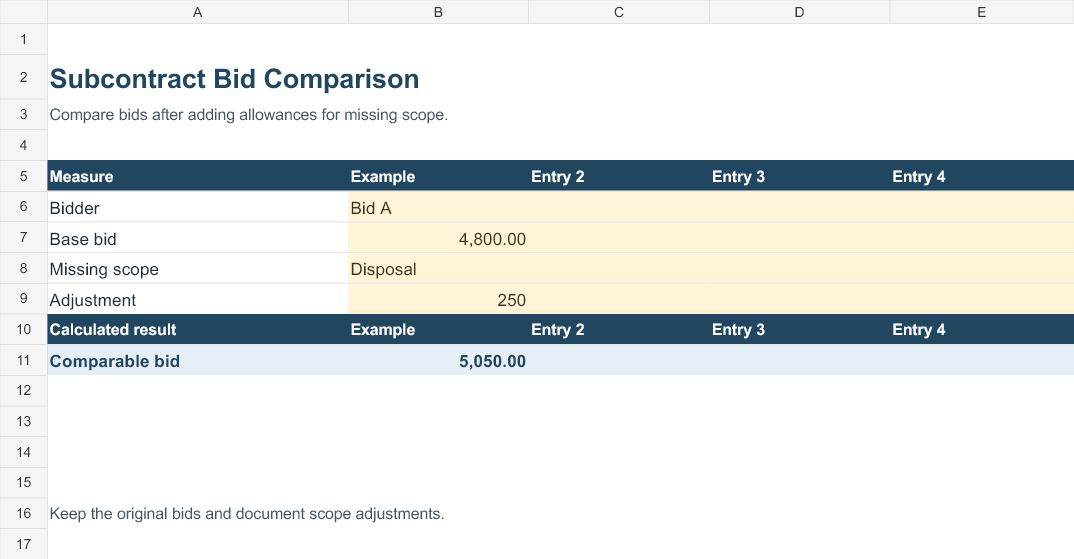
| Subcontract Bid Comparison Compare bids after adding allowances for missing scope. | Preview | Excel |
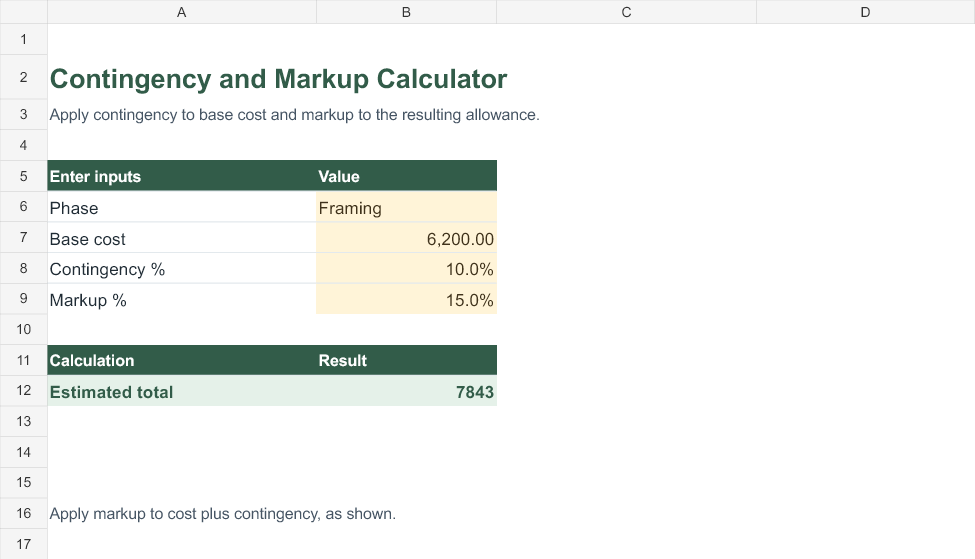
| Contingency and Markup Calculator Apply contingency to base cost and markup to the resulting allowance. | Preview | Excel |
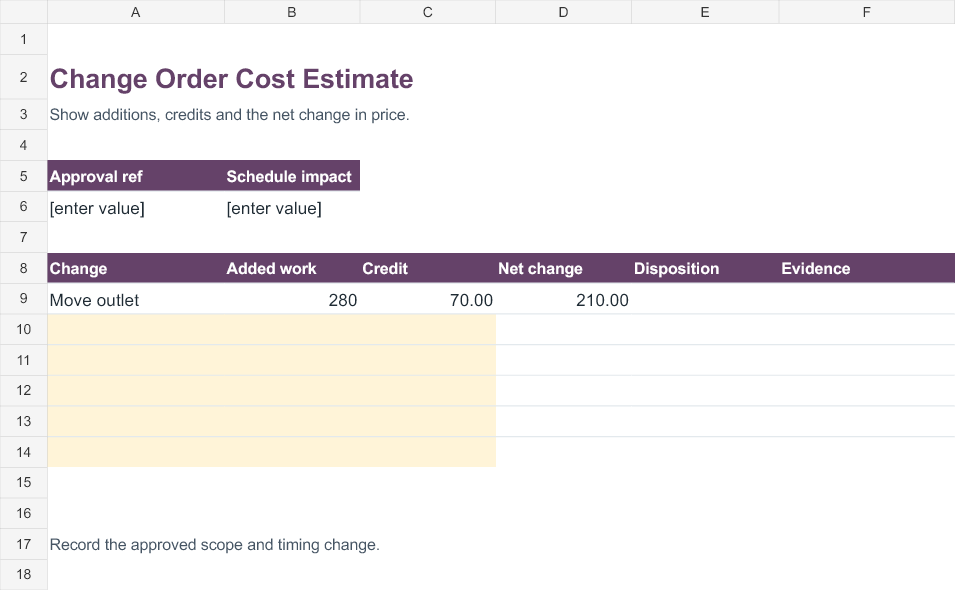
| Change Order Cost Estimate Show additions, credits and the net change in price. | Preview | Excel |
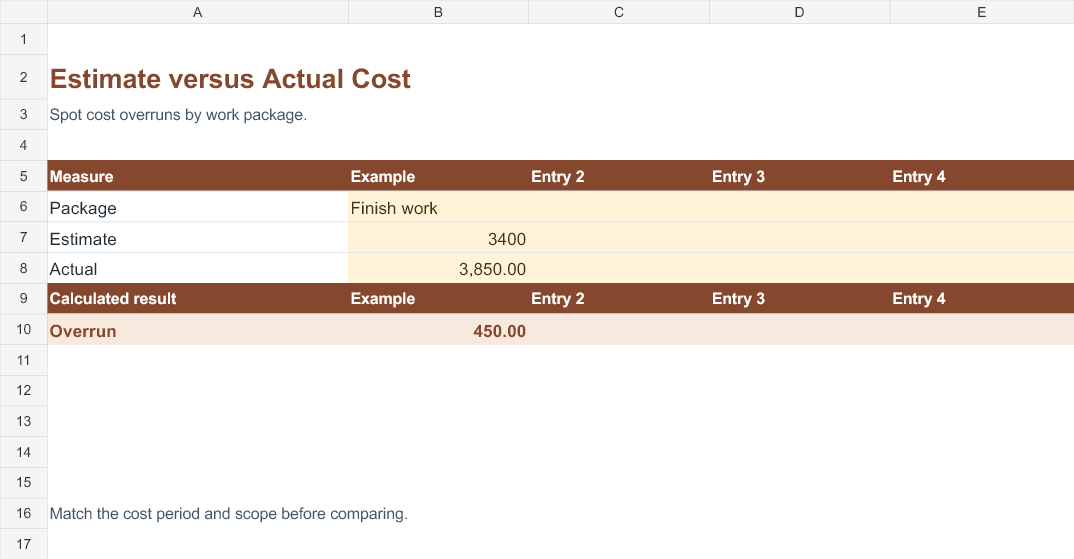
| Estimate versus Actual Cost Spot cost overruns by work package. | Preview | Excel |
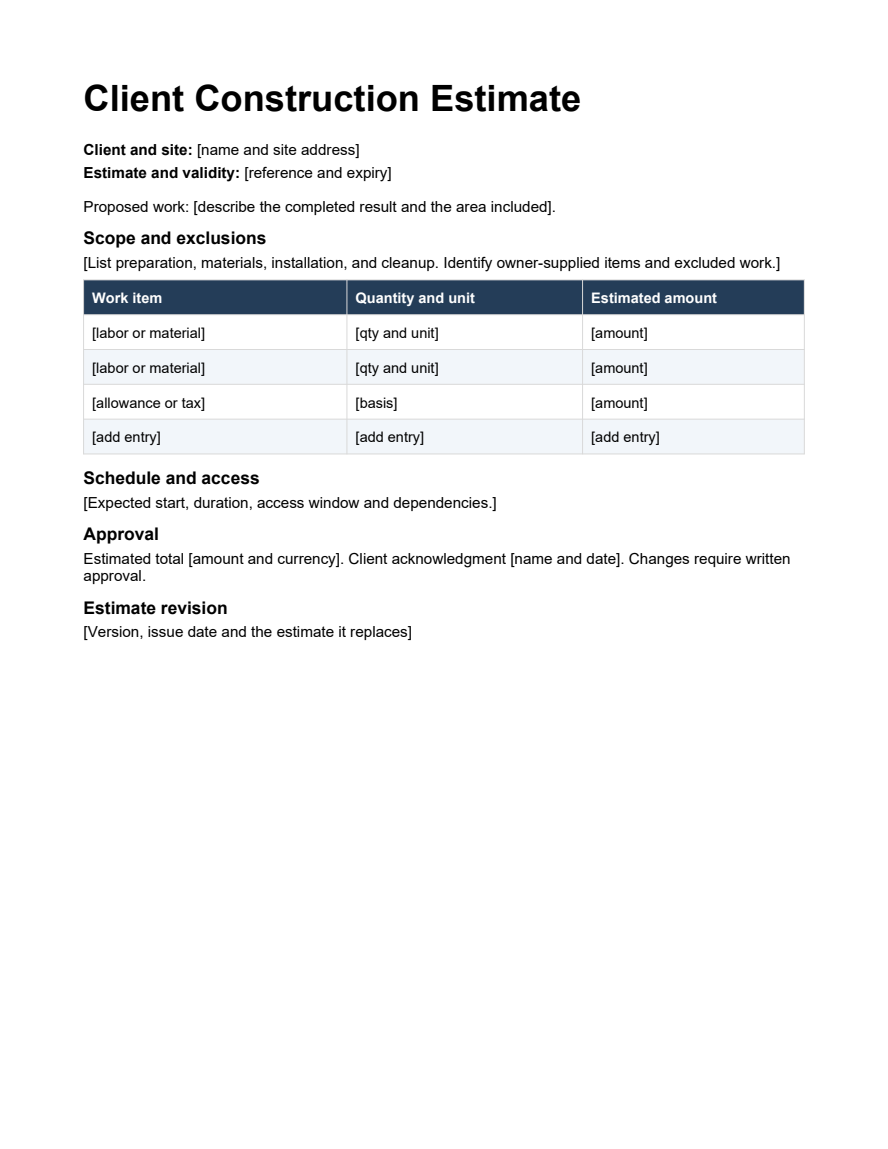
| Client Construction Estimate A client-facing proposal with scope, exclusions, itemized pricing and approval. | Preview | Word |
How to use the templates
Write the scope first
Describe the site, preparation, completed result and cleanup. Identify who supplies fixtures or materials and what the estimate excludes.
Measure quantities consistently
Keep the unit beside the measured quantity. Record how you handled openings, waste and pack sizes. Confirm supplier quotes before using an old unit price.
Separate cost components
Break out labor, materials, equipment, and subcontract bids. If a subcontractor already includes disposal, keep it out of the separate disposal allowance.
Record changes by revision
Date the estimate and give it an identifier. Use a change worksheet to show additions and credits together. Confirm the revised scope and price with the client before the crew starts.
Worked example
A kitchen estimate has 110 square feet of tile installation at 12 per square foot, giving 1,320 for that line. A separate crew estimate of three workers for eight hours at 54 gives 1,296. Use the crew figure only if the installation rate excludes that labor. A later change adding 280 and crediting 70 increases the estimate by 210.
What to put on the customer copy
A customer usually needs the agreed scope, a clear estimate total, the work schedule assumptions and the date the price expires. Keep your cost build on a separate worksheet so you can update labor or materials without changing the structure of the client proposal. Label any allowances with what they cover.
Review the numbers with the crew
Ask the crew lead to check how much setup, travel and cleanup time the estimate includes. Confirm whether the equipment supplier charges delivery and collection separately. Use the estimate-versus-actual worksheet after the job to identify which assumptions need a better baseline next time.
Buy quantity and waste
If a job needs 62 measured panels and you allow 12% for cuts and damage, the worksheet rounds up to 70 panels. Confirm whether the supplier sells them individually or by the carton. For paint, divide the area multiplied by coats by the product’s coverage per gallon and round up. The coverage figure should come from the paint and surface you intend to use.
Compare subcontractor quotes
Before comparing totals, check that each bid includes the same preparation, disposal, access equipment and finish level. In the sample, a 4,800 bid becomes 5,050 after adding 250 for missing disposal. Keep the original quote alongside the comparison and note who supplied the allowance. Ask bidders to clarify major exclusions before relying on a comparison for approval.
Give every line a unit and a quantity. A lump-sum quote for a room may include travel and cleanup, while a unit rate for laying tile may exclude those tasks. When combining quotes, mark what each price covers. Keep the internal labor estimate and the client proposal under the same revision so changes do not get lost between them.
A change order is useful even when the total goes down. Show the work removed as a credit, the work added as a separate amount, and any effect on the completion date. Recheck deposits, progress billing and prior approvals against the revised scope before sending an updated document.
Related downloads
See Maintenance work order templates and Project proposal templates for the records you may need before or after this step.
Template previews and editable downloads
Room Remodel Estimate
Price demolition, installation and finishes by room.
Painting Coverage Estimator
Calculate gallons from area, coats and coverage.
Crew Labor Estimate
Price a crew assignment by headcount, hours and loaded rate.
Equipment Hire Estimate
Combine rental time and delivery costs.
Material Takeoff with Waste
Convert measured quantity to purchase quantity including waste.
Subcontract Bid Comparison
Compare bids after adding allowances for missing scope.
Contingency and Markup Calculator
Apply contingency to base cost and markup to the resulting allowance.
Change Order Cost Estimate
Show additions, credits and the net change in price.
Estimate versus Actual Cost
Spot cost overruns by work package.
Client Construction Estimate
A client-facing proposal with scope, exclusions, itemized pricing and approval.
Frequently asked questions
What is the difference between markup and margin?
Markup uses cost as its base. Margin uses selling price. A cost of 100 with 20% markup sells for 120, yielding a margin of about 16.7%.
When should I use a contingency allowance?
Use it for identified uncertainty and explain what it covers. Track approved changes separately so the same uncertainty does not appear in two allowances.

