

Use these newsletter templates to publish business, school and community newsletters. Compare 5 downloads below, then choose the file that fits your task.
Choose a Download
| Resource | Format | Download |
|---|---|---|
| Corporate Newsletter Template | Word | Download Corporate Newsletter Template |
| School Newsletter Template | Word | Download School Newsletter Template |
| Church & Community Newsletter Template | Word | Download Church & Community Newsletter Template |
| Real Estate Newsletter Template | Word | Download Real Estate Newsletter Template |
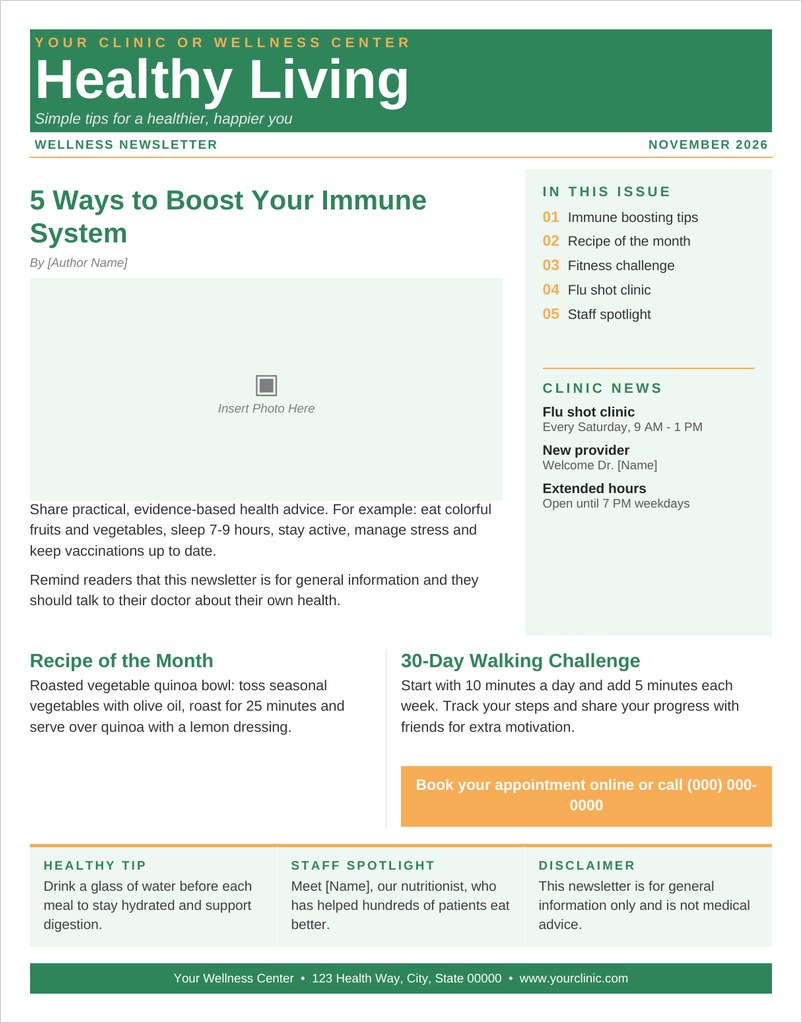
| Health & Wellness Newsletter Template | Word | Download Health & Wellness Newsletter Template |
For the next step, compare word brochure templates and letterhead templates.
Choose a layout for your audience, replace the sample copy and images, and check the page order before printing or sharing.
What Is a Newsletter?
A newsletter is a regular publication that shares news, updates and useful information with a specific audience, such as employees, parents, church members, clients or customers. It can be printed and handed out or sent by email. A newsletter template gives you a ready-made layout with a masthead, columns, headlines and image areas, so each issue looks consistent and takes far less time to produce.
Significance of newsletter word template
Newsletters are widely used by profit seeking and nonprofit organizations as a great promotional tool which is very economical and result oriented. It provides lots of benefits to a company or business establishment such as effective communication with customers, building positive rapport, driving traffic and priding useful info about the company and services offered. These are distributed periodically to only subscribed customers and clients. It is a great way to remind customers about your company and services or products offered along with other useful information such as special offers for customers.
Our newsletter word template can help you a lot in the process of sending information to interested customers and buyers. Content and information can easily be added in the template once it is successfully downloaded in the computer. After that it can be sent to customers via email because email is cheaper and faster as well as produces data that can be more easily studied quickly. The template is downloadable for free via internet connection and its contents can be modified with your own company details and info.
Free Newsletter Templates in Word
This page includes five free one-page newsletter templates in Word:
- Corporate Newsletter Template: Word (.docx), 1 page.
- School Newsletter Template: Word (.docx), 1 page.
- Church & Community Newsletter Template: Word (.docx), 1 page.
- Real Estate Newsletter Template: Word (.docx), 1 page.
- Health & Wellness Newsletter Template: Word (.docx), 1 page.
Each template has a masthead, featured story and sidebar or sections you can rename. Replace the sample text and photos, print, or save as PDF to share by email.
What to Include in a Newsletter
- Masthead: newsletter name, logo, issue number and date.
- Lead story: the most important news or feature.
- In this issue: a short contents list.
- Regular sections: updates, tips, spotlights or a message from a leader.
- Upcoming events and dates.
- Photos that support the stories.
- Call to action: register, volunteer, book or contact.
- Contact details and website.
Newsletter Ideas by Audience
- Corporate: company news, employee spotlights, milestones and upcoming events.
- School: principal’s message, class news, sports and key dates for parents.
- Church and community: messages, calendars, volunteer opportunities and outreach news.
- Real estate: market updates, featured listings and home tips for clients.
- Health and wellness: tips, recipes, challenges and clinic news.
Print or Email Newsletter?
Printed newsletters work well where readers gather in person, such as schools, churches, clinics and offices, and they can be posted on notice boards or left in waiting areas. Email newsletters reach people instantly and cost nothing to send. A one-page Word newsletter template can serve both: print copies for in-person readers and attach or link a PDF version for everyone else.
How to Create a Newsletter in Word
Pick the template that suits your audience and update the masthead with your name, logo, issue number and date. Plan the content: one lead story, a few shorter items and a list of dates or events usually fill a page well. Write short paragraphs and clear headlines, and replace placeholder photos using Word’s change picture option to keep the layout intact.
Proofread names, dates and contact details, then print a test copy. Save the final issue as a PDF for emailing or posting on your website, and keep the Word file as the starting point for the next issue.
Tips for a Newsletter People Read
- Publish on a regular schedule, such as monthly or quarterly.
- Lead with the news your readers care about most.
- Keep articles short and link to more detail online.
- Use the same layout each issue so readers know where to look.
- Include one clear call to action.
Downloadable Newsletter Word Templates And Formats
Download these original newsletter templates for Microsoft Word. Each one-page layout has a masthead, lead story, sidebar and editable columns.
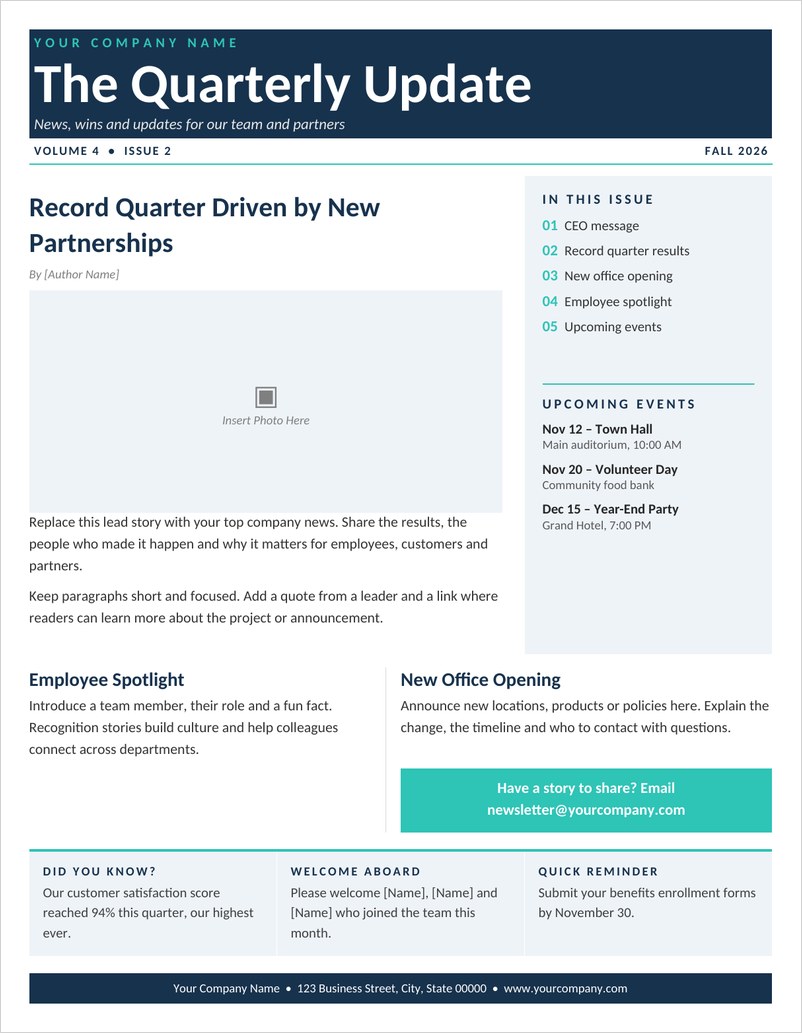
Corporate Newsletter Template (Word)
A professional company newsletter for Word with a bold masthead, lead story with photo, in-this-issue sidebar, events, employee spotlight and footer.
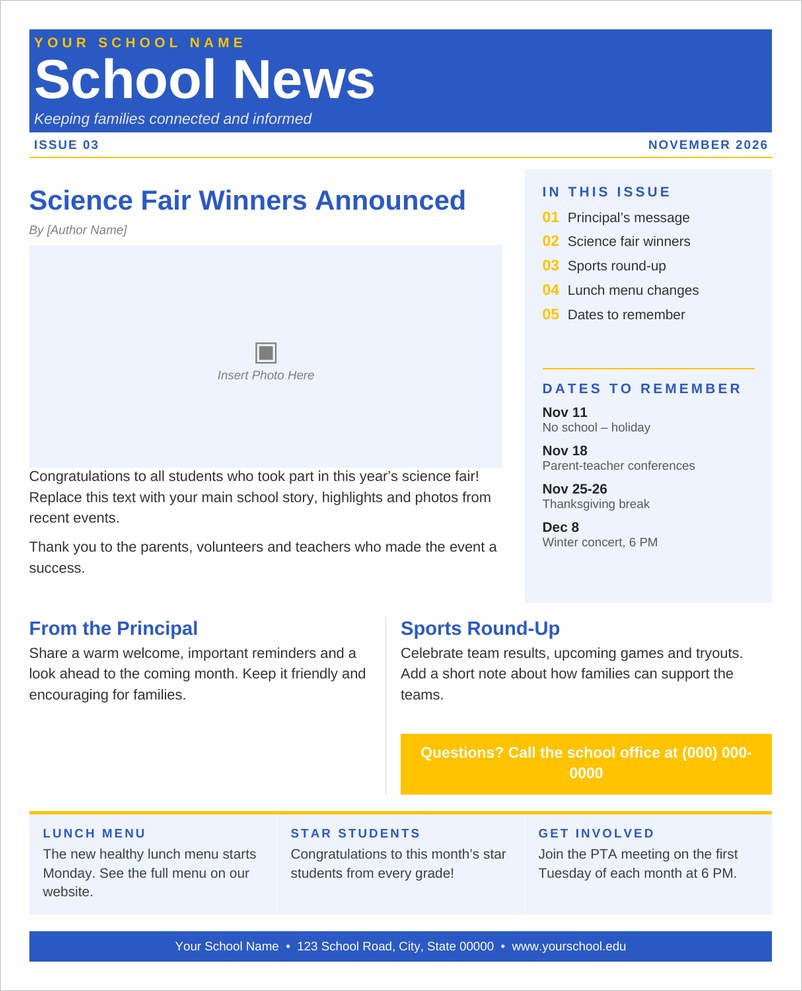
School Newsletter Template (Word)
A bright school newsletter for parents with principal’s message, featured story, sports round-up and a dates-to-remember sidebar, all easy to edit.
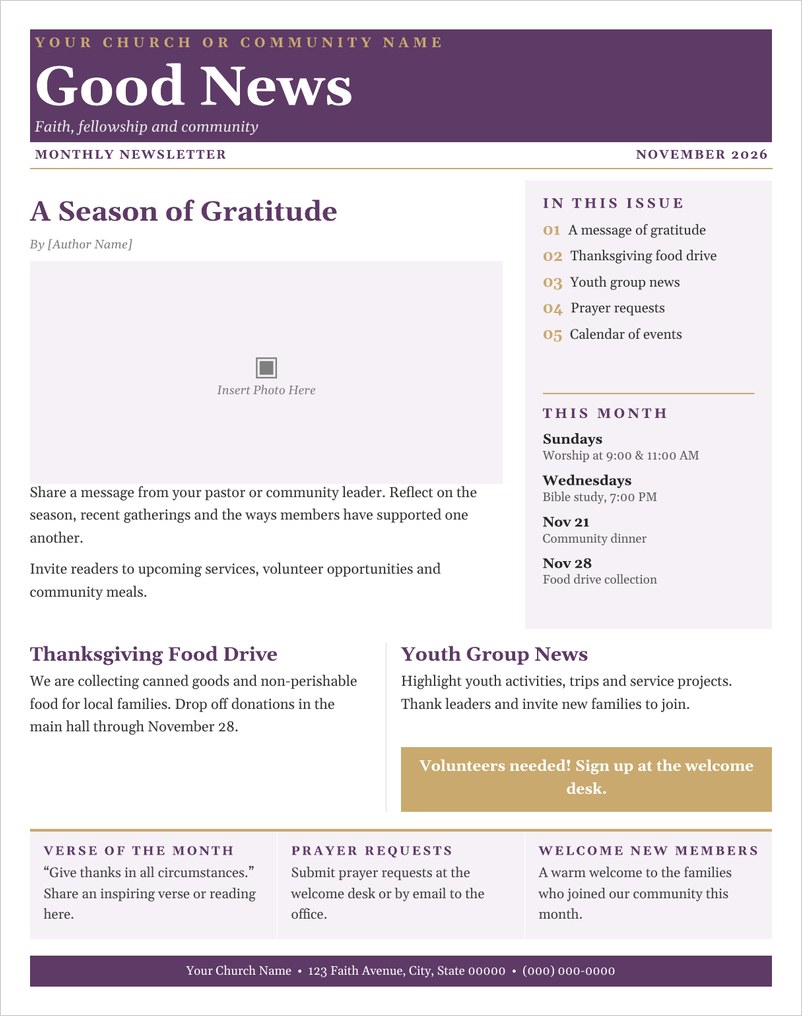
Church & Community Newsletter Template (Word)
A warm church and community newsletter with a featured message, monthly calendar, food drive and youth news sections and a volunteer call-out.
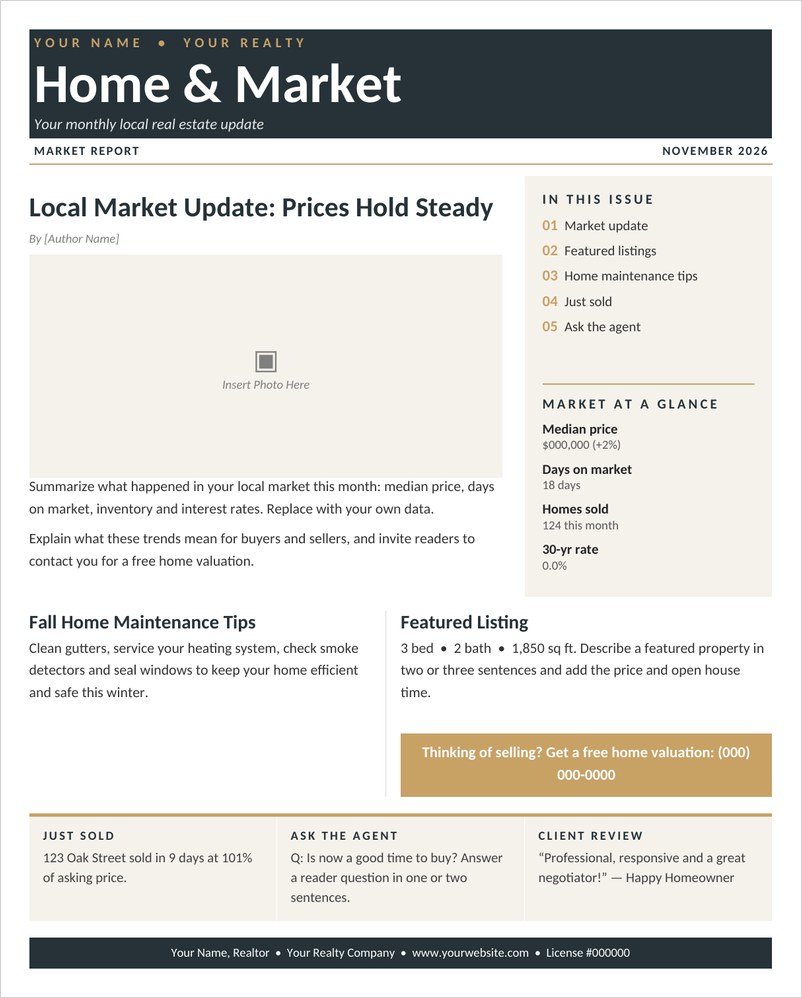
Real Estate Newsletter Template (Word)
A monthly real estate newsletter for agents with a market update, market-at-a-glance statistics, featured listing, home tips and valuation call to action.
Health & Wellness Newsletter Template (Word)
A fresh health and wellness newsletter for clinics and coaches with wellness tips, recipe of the month, fitness challenge and clinic news.
Frequently Asked Questions
What is a newsletter template?
It is a ready-made layout with a masthead, columns, headings and image areas that you fill with your own news each issue.
How do I make a newsletter in Word?
Open a Word newsletter template, update the masthead, replace the text and photos, then print or save as PDF.
How often should I send a newsletter?
Monthly or quarterly is common. Choose a schedule you can keep consistently.
What should go in a school newsletter?
A principal’s message, featured news, class or sports updates and important dates for parents.
Can I email a Word newsletter?
Yes. Save it as a PDF and attach it, or link to it on your website.

You must be logged in to post a comment.