

A quiz template is a ready-made document used to create quizzes, tests, trivia activities, classroom assessments, and quiz competitions. Instead of designing a question sheet from scratch, you can use a template and customize it with your own questions, instructions, participant information, and scoring system. Related templates: free guest list templates, free contact list templates, donation form templates and free treatment plan templates.
A well-designed quiz template can be useful for teachers, students, trainers, event organizers, businesses, and anyone planning a knowledge-based activity. Quizzes can be used in classrooms, training sessions, workshops, parties, public events, and online or offline competitions.
TemplatesDoc provides 21+ free quiz templates that can be customized for different types of quizzes and educational activities. The current collection includes downloadable quiz templates as well as additional sample formats.
What Is a Quiz Template?
A quiz template provides a structured format for presenting questions and collecting answers. A typical quiz sheet may include the quiz title, participant name, instructions, questions, answer choices or spaces, and scoring information.
Depending on the purpose of the quiz, you can create:
- Classroom quizzes
- General knowledge quizzes
- Trivia quizzes
- Multiple-choice tests
- Training assessments
- Educational worksheets
- Competition quizzes
- Employee knowledge tests
- Event quizzes
A reusable template makes it easier to create multiple quizzes while maintaining a consistent format.
Free Quiz Template
A free quiz template is useful when you need a simple and professional question-and-answer sheet without spending time designing the layout.
You can customize the template by adding your own questions, changing the title, inserting instructions, adding answer spaces, and modifying the scoring system. Teachers can also include the subject, grade level, date, and student name.
Quiz Template for Students
A student quiz template can be used for classroom assessments, revision exercises, practice tests, and educational activities.
A student quiz may include the student’s name, class, date, instructions, questions, multiple-choice options, and space for written answers. Teachers can adapt the format according to the subject and difficulty level.
Quiz Competition Template
A quiz competition template is useful for schools, colleges, clubs, organizations, and public events.
It can include the competition name, participant or team information, rules, questions, marks, and answer spaces. If multiple rounds are planned, separate sheets can be prepared for each round.
Multiple Choice Quiz Template
A multiple choice quiz template provides several answer options for each question. Participants select the answer they believe is correct.
This format works particularly well for classroom tests, general knowledge quizzes, employee training, and trivia competitions because answers can be checked quickly.
Quiz Template in Word
A quiz Word template is convenient for teachers and organizers who want to edit questions and formatting in Microsoft Word.
You can add your own title, questions, answer choices, instructions, and scoring information. Word also makes it easy to print the finished quiz or save it as a PDF for digital distribution.
Quiz Template in Excel
An Excel quiz template can be useful when you want to organize questions, answers, scores, or participant results in a spreadsheet.
Excel can be especially helpful for managing larger quiz competitions where scores from several participants or teams need to be recorded and calculated.
How to Create a Quiz Using a Template
Creating a quiz is simple:
- Choose a suitable template based on the type of quiz.
- Add the quiz title and subject or event name.
- Enter participant information such as name, class, or team.
- Add your questions and answer choices.
- Include instructions explaining how participants should respond.
- Assign points if the quiz is scored.
- Review the questions for accuracy and clarity.
- Print or share the completed quiz with participants.
For classroom quizzes, make sure the questions match the students’ level and the material being assessed.
Tips for Making a Good Quiz
Keep questions clear and avoid unnecessary wording. Use a mixture of question types when appropriate, and make sure each question has a definite answer when the quiz is intended to test factual knowledge.
For multiple-choice questions, provide plausible answer options rather than obviously incorrect choices. If the quiz is timed, state the time limit clearly in the instructions.
It is also useful to prepare an answer key separately so that teachers or organizers can check completed quizzes efficiently.
Download Free Quiz Templates
Whether you need a quiz template, quiz Word template, quiz Excel template, classroom quiz, trivia quiz, multiple-choice quiz, student test, or quiz competition format, a ready-made template can save time and provide a consistent structure.
Choose a format that matches your activity, replace the sample content with your own questions, and customize the instructions and scoring system.
A simple, well-organized quiz template makes it easier for participants to understand the questions and for teachers or organizers to evaluate the results.
Download Quiz Templates Are Here
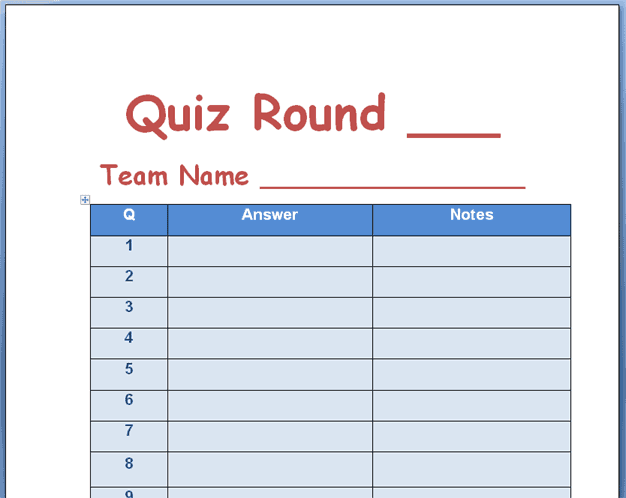
1. Quiz Template
This quiz template provides a ready-made format for creating a classroom test, trivia activity, or quiz competition. It can be customized with a title, questions, instructions, participant information, answer choices, and scoring details.
The template can be adapted for schools, colleges, training sessions, competitions, or recreational quiz activities.

2. Quiz Template Format
This quiz template format provides a structured starting point for organizing questions and participant responses. Users can replace the sample information with their own questions and instructions.
It can be used for educational assessments, general knowledge quizzes, training activities, and other question-based events.
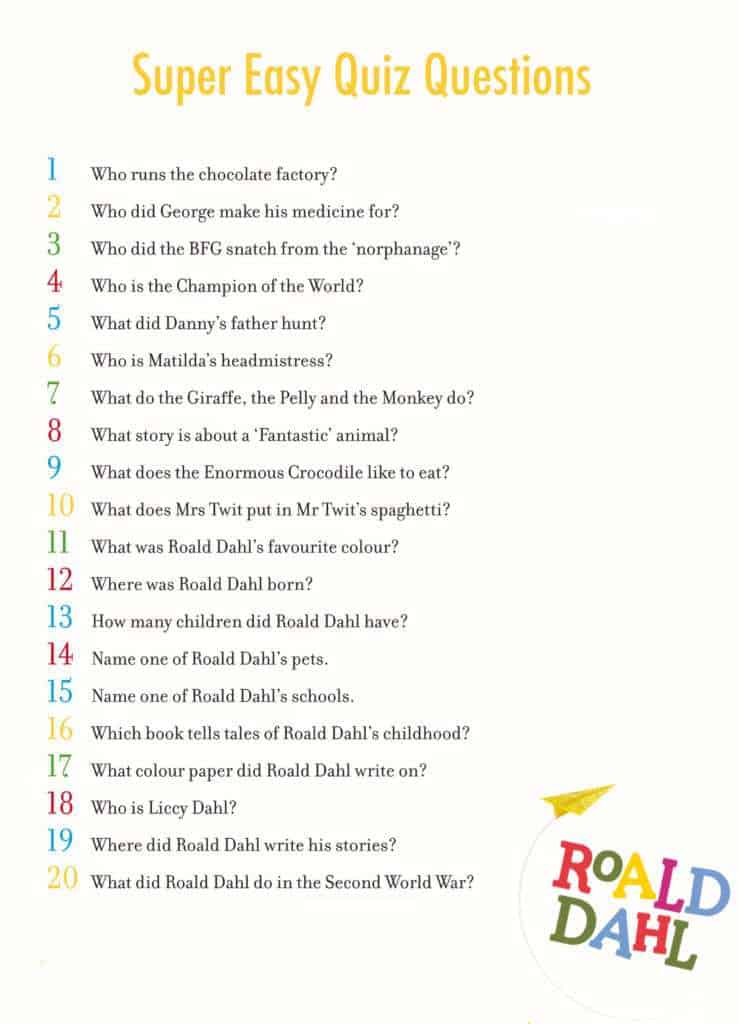
3. Quiz Sample
This quiz sample provides an example of how a quiz can be organized into a printable question sheet. It can be used as a reference when preparing a customized quiz for students or event participants.

Frequently Asked Questions
1. What is a quiz template?
A quiz template is a pre-designed document used to create quizzes, tests, trivia activities, and assessments. It can be customized with questions, answers, instructions, and scoring information.
2. What should a quiz template include?
A quiz template can include the quiz title, participant name, date, instructions, questions, answer choices or spaces, and points or scoring information.
3. Can I create a quiz in Word?
Yes. A quiz Word template can be edited in Microsoft Word. You can add questions, answer choices, instructions, headings, and other information before printing or sharing the quiz.
4. Can I create a quiz in Excel?
Yes. Excel can be used to organize quiz questions, answers, participant information, and scores. It can be particularly useful for managing quiz results.
5. What is a quiz competition template?
A quiz competition template is designed for organized quiz events and may include participant or team information, rules, questions, scoring, and answer spaces.
6. Can teachers use quiz templates?
Yes. Teachers can use quiz templates for classroom tests, revision activities, practice exercises, assessments, and educational competitions.
7. What is a multiple-choice quiz?
A multiple-choice quiz presents a question with several possible answers. Participants select the option they believe is correct.
8. Can I print a quiz template?
Yes. A completed quiz template can generally be printed on standard paper or saved as a PDF for digital distribution, depending on the format used.



You must be logged in to post a comment.