

Project reporting is an integral part of the project management that lets you to tell customers and other concerned entities that how the project is going as well as how much it will take to reach the bottom line. You can download many project report templates at this page. Project report template is prepared by professional persons to help project managers and other people when it comes to provide overall report about the project progress and activities. Majority of project managers don’t give it adequate attention it deserves because they only take it as waste of time but it has great significance in the whole life of project. We do hope that you will like these project report templates. Related templates: progress report templates, project log templates, executive summary templates and financial report templates.
What Is a Project Report?
A project report is a document that tells stakeholders where a project stands. Depending on its purpose, it may describe progress against the plan, work completed, budget and schedule status, risks and issues, and the next steps. Some reports are produced regularly during the project, while others are written at the end to record results and lessons learned. A project report template gives you consistent headings, so every report covers the same points and readers can quickly find what they need.
Project report templates & Its importance:
Project report is a comprehensive document that answers all ifs and buts of customers and higher authorities. It is the way to show in professional format that how you and your team is contributing efforts for successful and timely accomplishment of the project. A well written report also shows your professional communication skills. The report must be clear, concise and focusing on what you did till the time and what still need to be done. An important thing you need to keep in mind during the report writing process is that the report is written to be read by someone else so understand your audience first and then start writing the report.
Adding up the work and activity log in the report can make it very easy to understand. Regardless of the nature and scope of the project you are managing, you should draft the project report accordingly in order to make each and everything clear in front of the audience. An experienced and professional project manager can easily write the project report but a new person may feel confusion about how to write the report in best way. However, below provided project report template could be good starting point to write the report as it should be.
Free Project Report Template in Word
The free project report templates below are editable Word and PDF formats. Word makes it easy to add your project name, logo, tables, charts and screenshots. If you track tasks, hours or costs in a spreadsheet, you can paste summary tables from Excel into the report so the figures match your records.
Types of Project Reports
- Status report: a short, regular update on progress, upcoming work, risks and decisions needed.
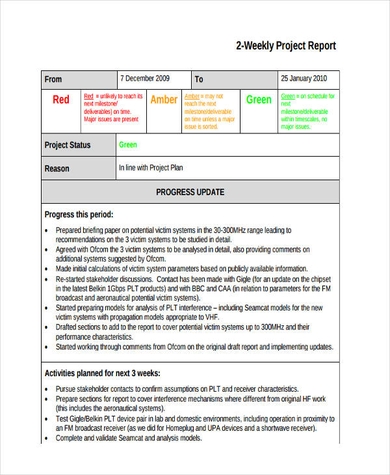
- Weekly or monthly project report: a summary of the period’s activity for managers or clients.
- Progress report: compares work completed with milestones and the original timeline.
- Financial or budget report: shows planned and actual spending and the forecast to complete.
- Risk and issue report: lists current risks, their likely impact and the actions planned.
- Final or project closure report: records outcomes, deliverables, final costs and lessons learned.
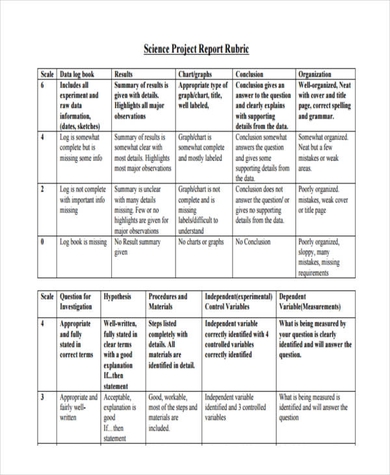
- Student or academic project report: explains the aim, method, findings and conclusions of a school or university project.
What to Include in a Project Report
The right content depends on the audience, but a complete business project report usually includes:
- Project details: name, project manager, reporting period and date.
- Executive summary: a few lines on overall status, often shown as green, amber or red.
- Progress and milestones: what was completed, what is in progress and what is next.
- Schedule: whether the project is on time and any changes to key dates.
- Budget: planned versus actual costs and any expected overspend.
- Risks and issues: the most important problems and how they are being handled.
- Decisions and support needed from sponsors or senior managers.
- Next steps and the date of the next report.
How to Write a Project Report
Start by deciding who will read the report and what they need to know. A sponsor may only want the overall status and any decisions required, while the project team needs more detail on tasks and deadlines. Gather the latest information from your project plan, task tracker, budget and risk log before you start writing.
Fill in the summary last, after you have completed the detailed sections. Use short paragraphs, bullet points and simple tables, and support statements with facts such as completed deliverables or actual dates rather than general comments. Be honest about delays or risks, and pair each problem with the action being taken.
Finally, check names, dates and numbers, then share the report in the agreed format and keep a copy with your other project records so you can compare progress over time.
Tips for Clear Project Reporting
- Use the same template every reporting period so trends are easy to spot.
- Lead with the most important information.
- Keep jargon to a minimum, especially for clients or senior managers.
- Use charts or status colors sparingly and explain what they mean.
- Link to detailed documents instead of copying everything into the report.
Downloadable Project Report Templates:
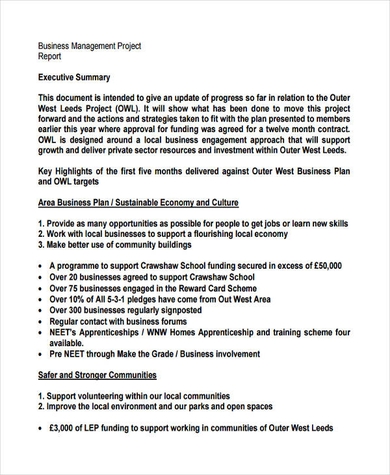
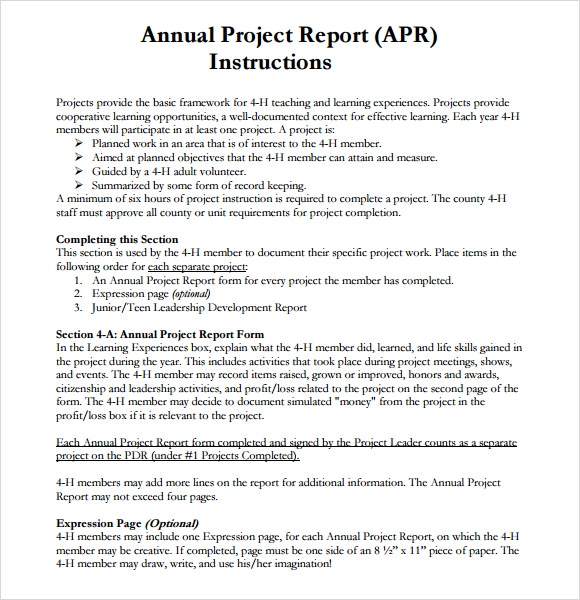
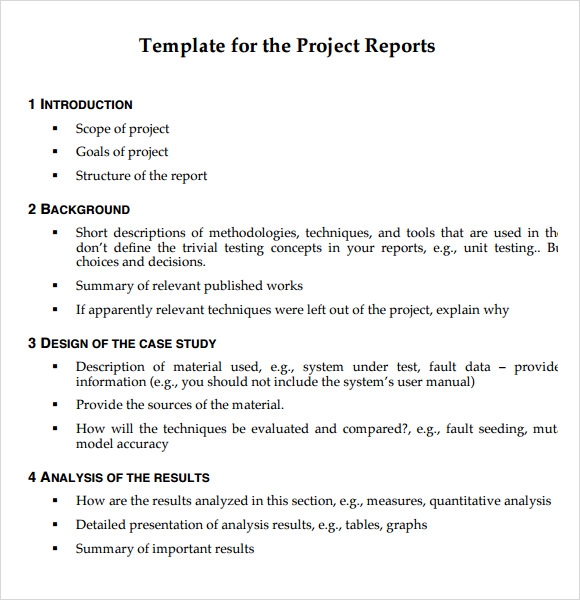
Below you will find free project report templates in Word and PDF, including weekly reports, annual reports, construction and business project reports and a science project report. Download a project report template, add your project details and adjust the sections to fit your reporting needs.


Frequently Asked Questions
What should a project report include?
A typical project report includes project details, a short summary of overall status, progress against milestones, schedule and budget status, key risks and issues, decisions needed and next steps.
How often should a project report be written?
It depends on the project and the stakeholders. Many teams send weekly or fortnightly status reports and a final report when the project closes.
What is the difference between a project report and a progress report?
A progress report focuses on work completed against the plan for a period. A project report can be broader, also covering budget, risks, decisions and, at the end, final results and lessons learned.
Can students use a project report template?
Yes. Students can adapt the template by using sections such as aim, method, results and conclusion for school or university projects.
How long should a project report be?
Regular status reports are often one or two pages. Final project reports can be longer because they summarize the whole project.



You must be logged in to post a comment.